
Trusted Certificates
Liam Sharp
Posted 9 January, 2024 by Liam Sharp in
Trusted Certificates
A Man In The Middle (MITM) proxy will resign TLS certificates. If a resigned certificate is not from a trusted Certificate Authority (CA), the TLS connection will be rejected.

Companies employing this style of proxy will usually distribute an X.509 certificate to employees. This X.509 certificate can be used by the Log File Analyser by adding it to a ‘Trusted Certificates Folder’.
The Log File Analyser will only accept X.509 certificates with the following extensions: .crt, .pem, .cer and .der.
How To Add A Trusted Certificate
When a proxy is changing the issuer of a certificate, it can be quickly seen in a browser such as Chrome. Simply load the Screaming Frog website in Chrome and click the ‘view site information’ icon to the left of the address.

Next, click on ‘Connection is secure’ (or ‘Connection is insecure’) and ‘Certificate is valid’ –

Then click on ‘Details’ and ‘Issuer’ in the ‘Certificate Fields’ section –
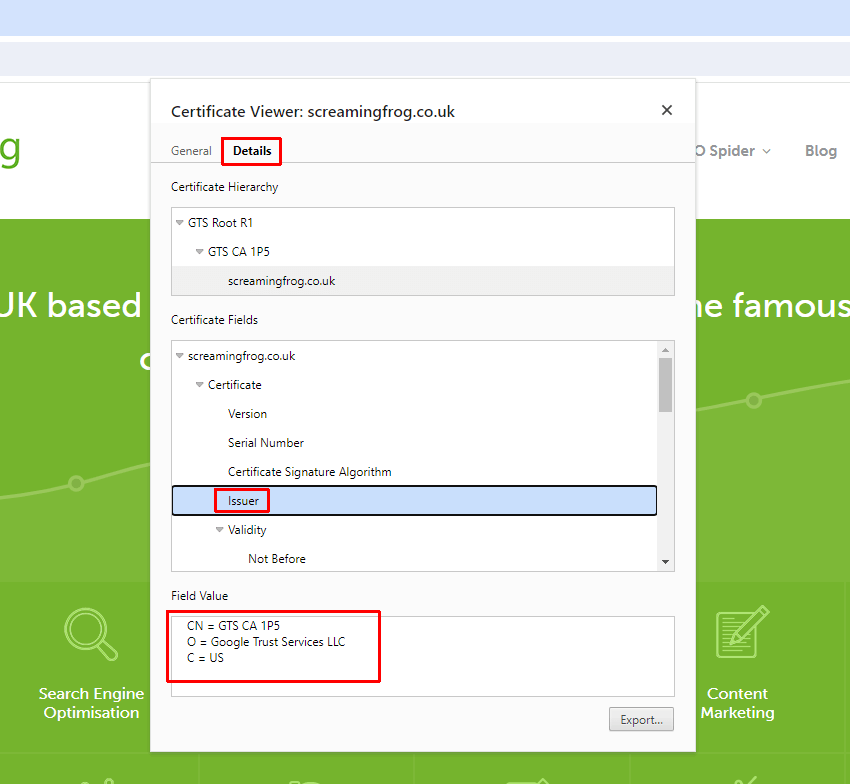
The issuer for the Screaming Frog website shows as “GTS CA 1P5”. But you should see this is as something different, such as your proxy, for example ZScaler or McAfee. This shows the issuer of the certificate is being changed in your local environment.
If this is the case, then follow the instructions below to download the certificate and import into the ‘Trusted Certicates’ store to validate your licence. If you do not, and only see “GTS CA 1P5” as the Issuer, then you’ll need to contact your IT team to request the certificate directly from them.
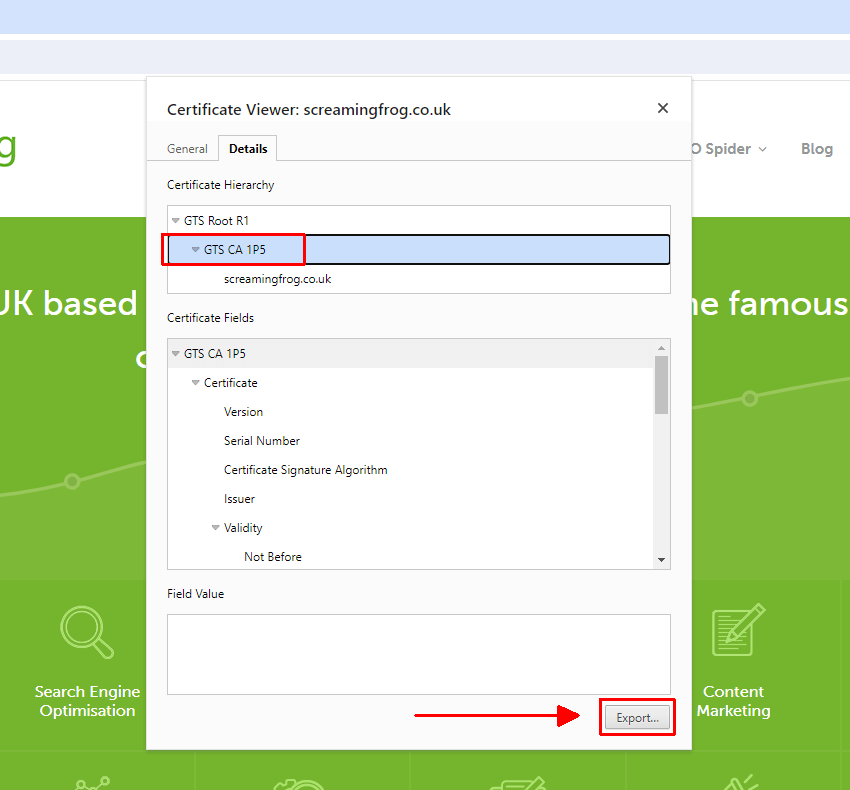
If you are seeing “ZScaler, McAfee etc” as the issuer certificate, click on it and then ‘Export’ at the bottom. Note that our example image shows “GTS CA 1P5”, which is the actual issuer for this site. Yours will be another issuer that the proxy has used for resigning.
Then ‘Add’ this certificate file to the Log File Analyser Trusted Certificates trust store.
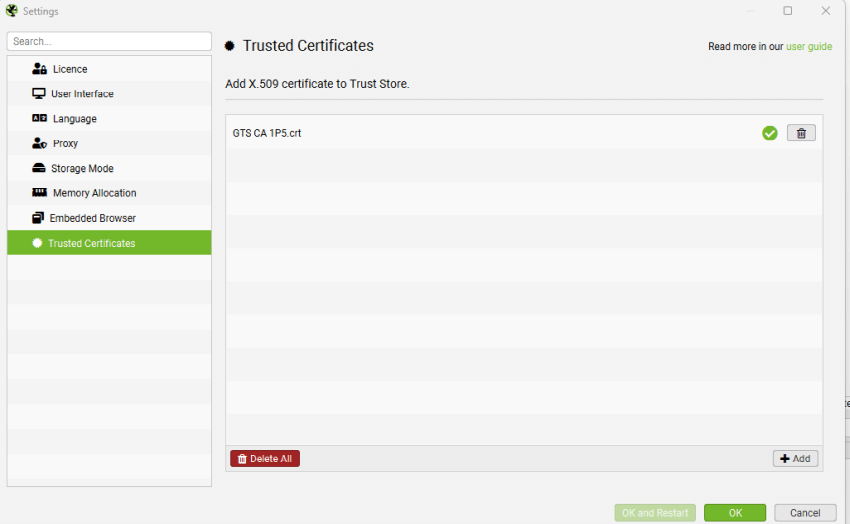
You should then be able to validate your licence.