
Screaming Frog Log File Analyser Update – Version 7.0
Dan Sharp
Posted 29 April, 2026 by Dan Sharp in Screaming Frog Log File Analyser
Screaming Frog Log File Analyser Update – Version 7.0
We’re delighted to announce the release of the Screaming Frog Log File Analyser 7.0.
If you’re not already familiar with the Log File Analyser, it allows you to upload raw server log files, verify bots, and get valuable insight into both search engine and AI bots crawling your website.
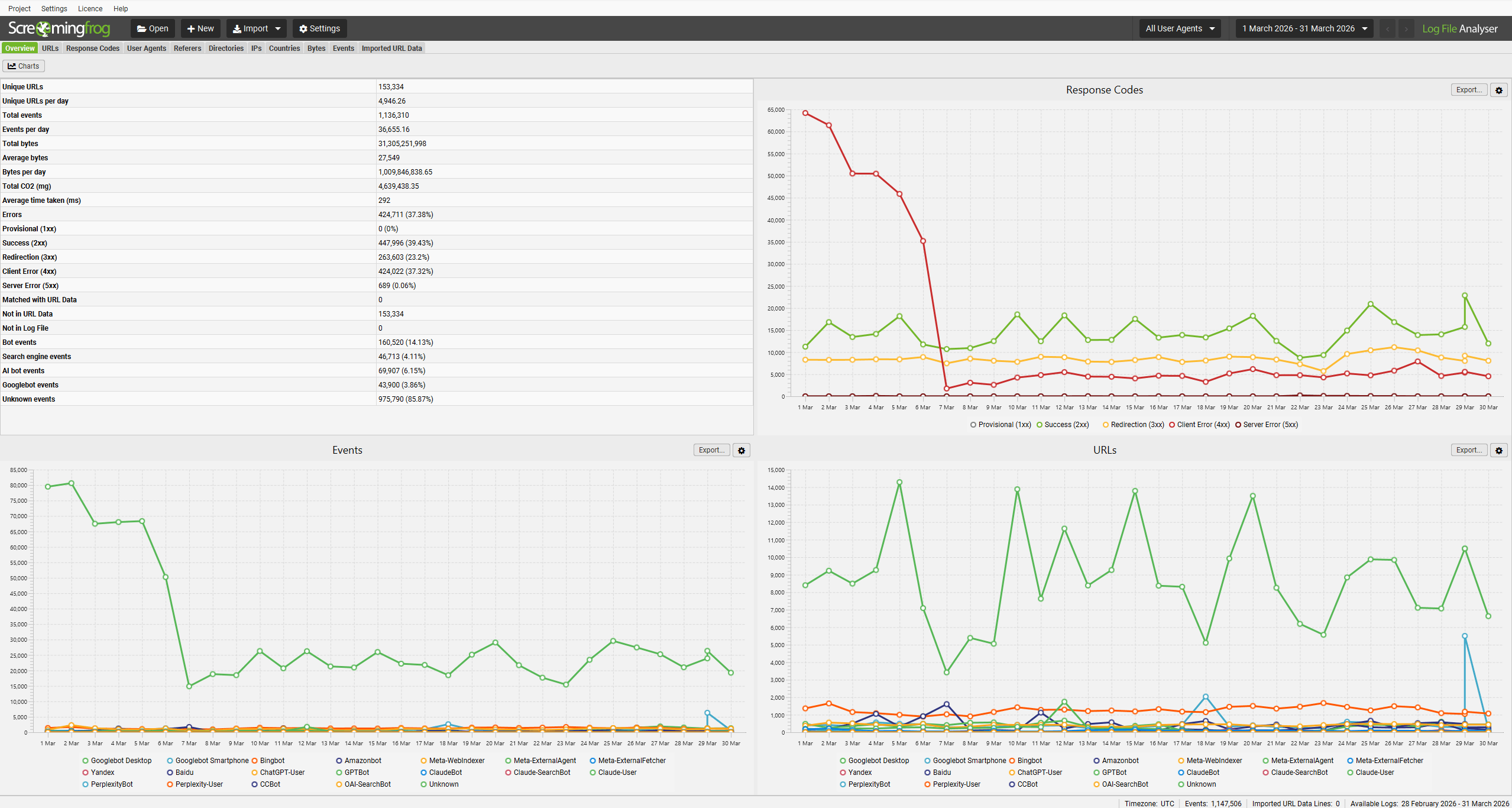
In this release we have a number of new features, as well as plenty of smaller quality of life improvements. Here’s what’s new.
1) Bot Verification for AI Bots
AI bots now support bot verification, so you can confirm it is a genuine AI bot crawling your website, and not being spoofed.
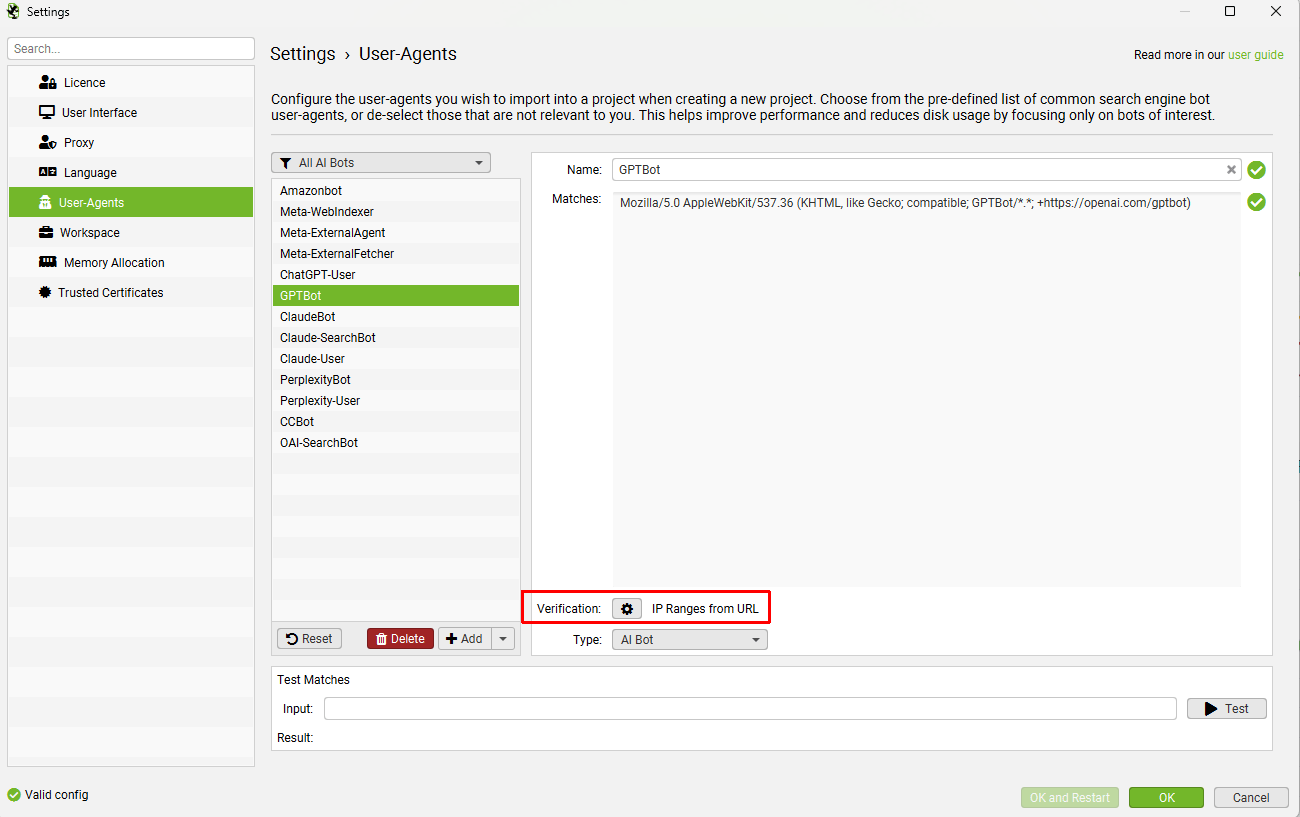
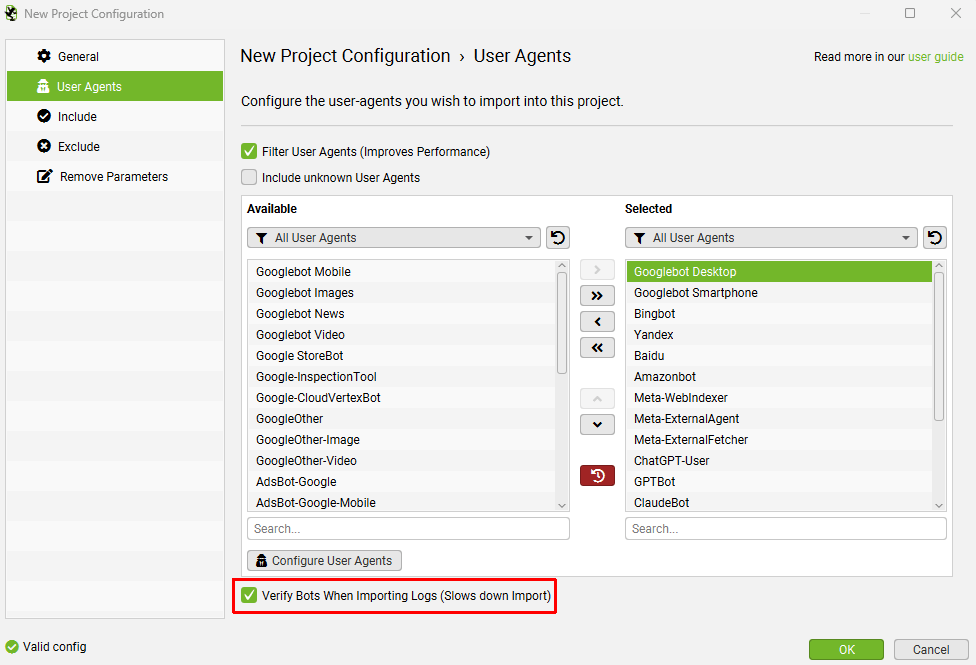
Similar to search bot verificiation, you can just verify bots during the upload process.
Or via the ‘Project > Verify Bots’ menu after upload.
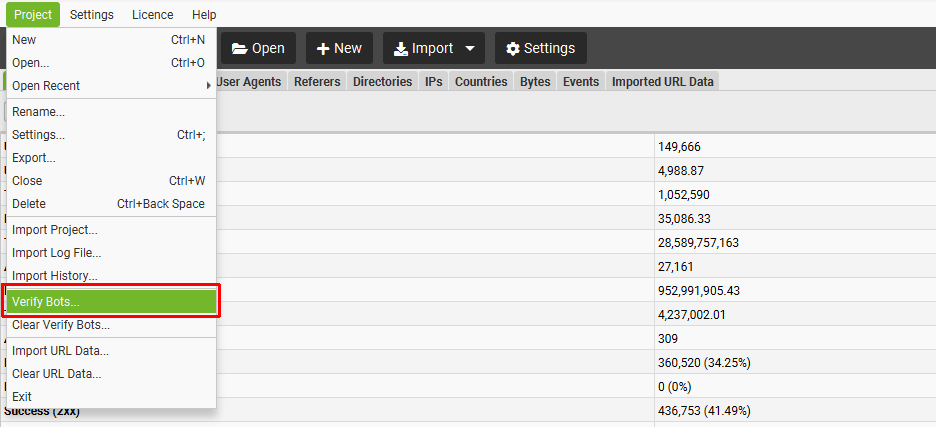
This opens up the verification status filter for bot types that support it, so you can only view verified genuine bots, or identify spoofed bots.
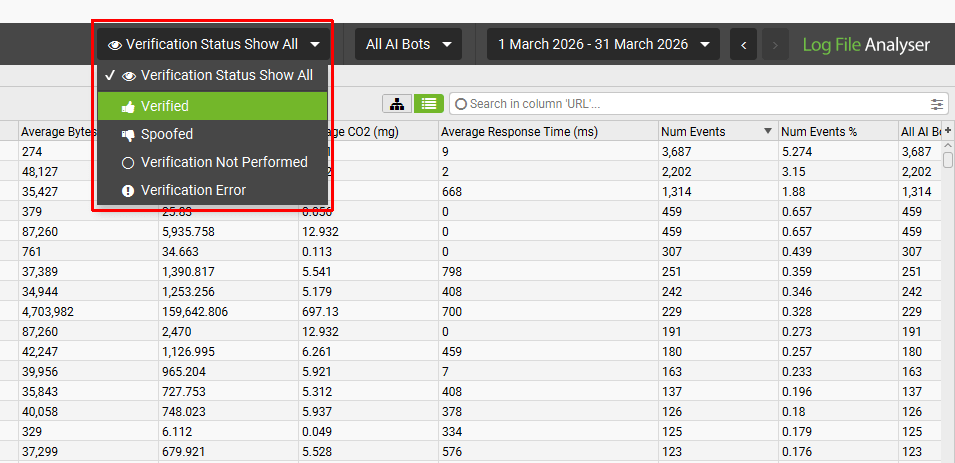
2) User Agent Grouping
With so many different bots today, we have added bot groupings to make it easy to filter for the bots you wish to upload and analyse in projects.
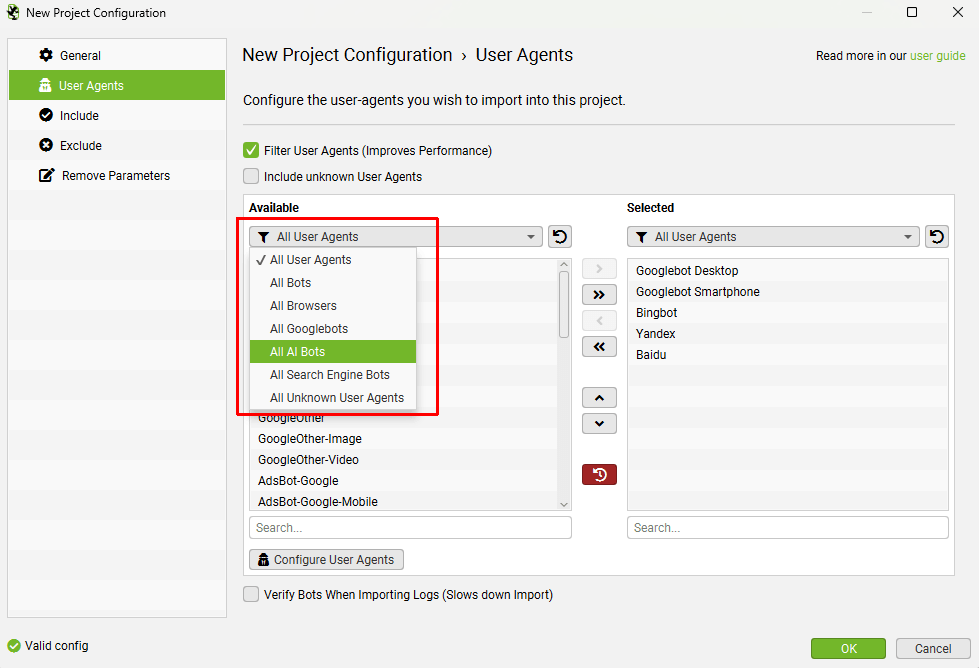
This then allows you to analyse by the same groups using the global user agent filter, such as ‘All Search Bots’, or ‘All AI Bots’.
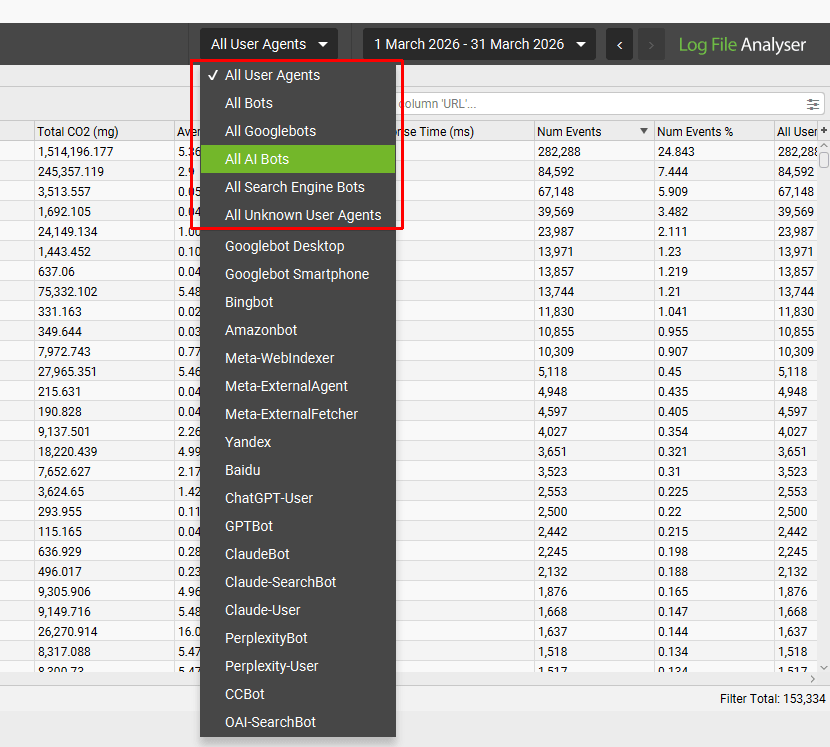
The Overview tab also includes top level statistics of these groupings, so you can quickly see the proporition crawling a site.
3) Customisable Bot Verification
When you add a new user agent, you’re able to configure bot verification. You can input IP ranges from a JSON URL, reverse DNS, ASN or static IP ranges to perform verification.
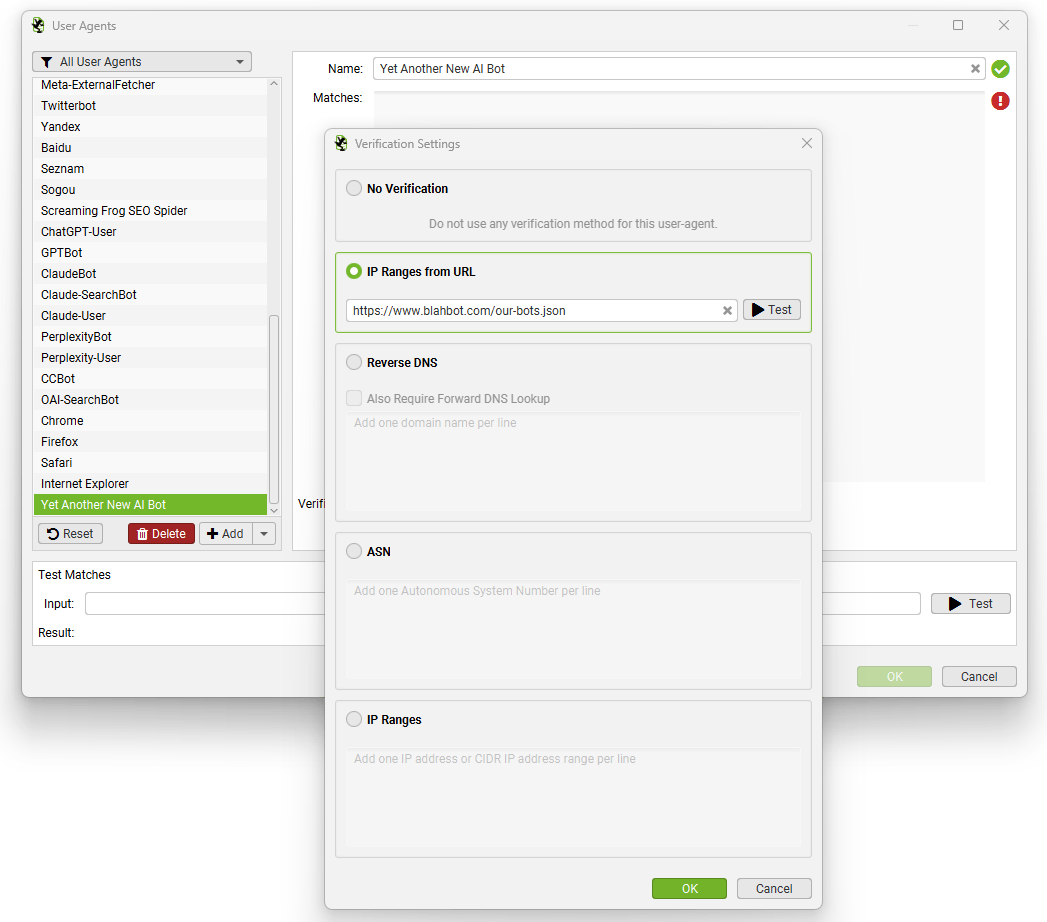
If bot verification changes for any existing user agents, you do not need to wait for our team to push an updated version of the Log File Analyser, you can just update immediately.
4) Discovery of Unknown User Agents
There’s a new ‘Include unknown User Agents’ setting in the User Agents tab of a new project.
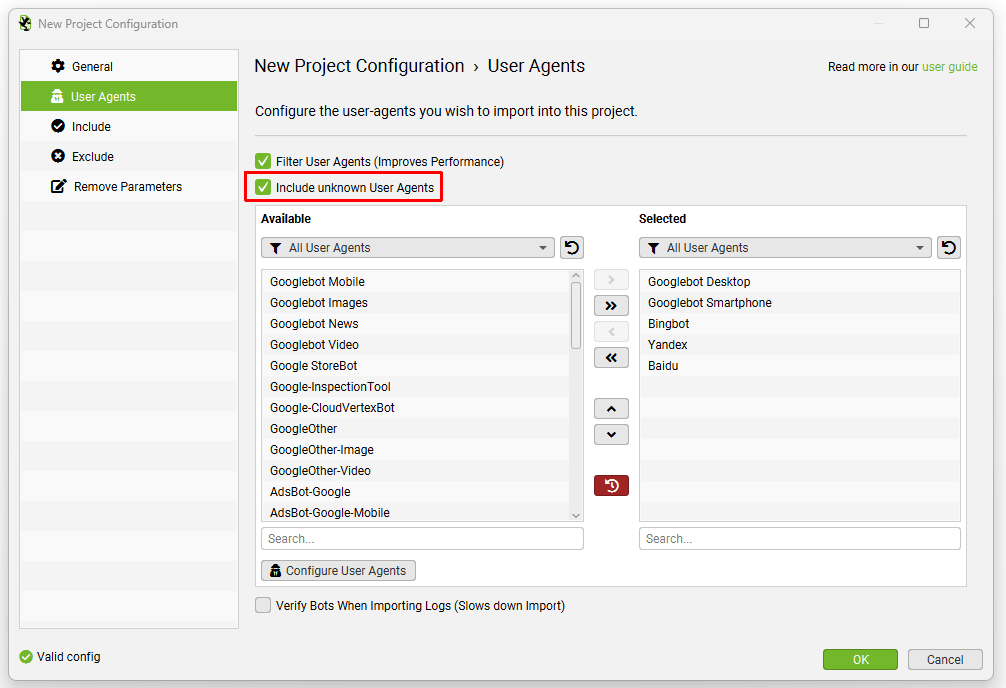
Enabling this option means any user agents that are not known (defined by your full ‘Available’ list of user agents) will be included in the analysis.
This can be really useful for analysing bots that are crawling your website, that are not browsers, or known search or AI bots etc.
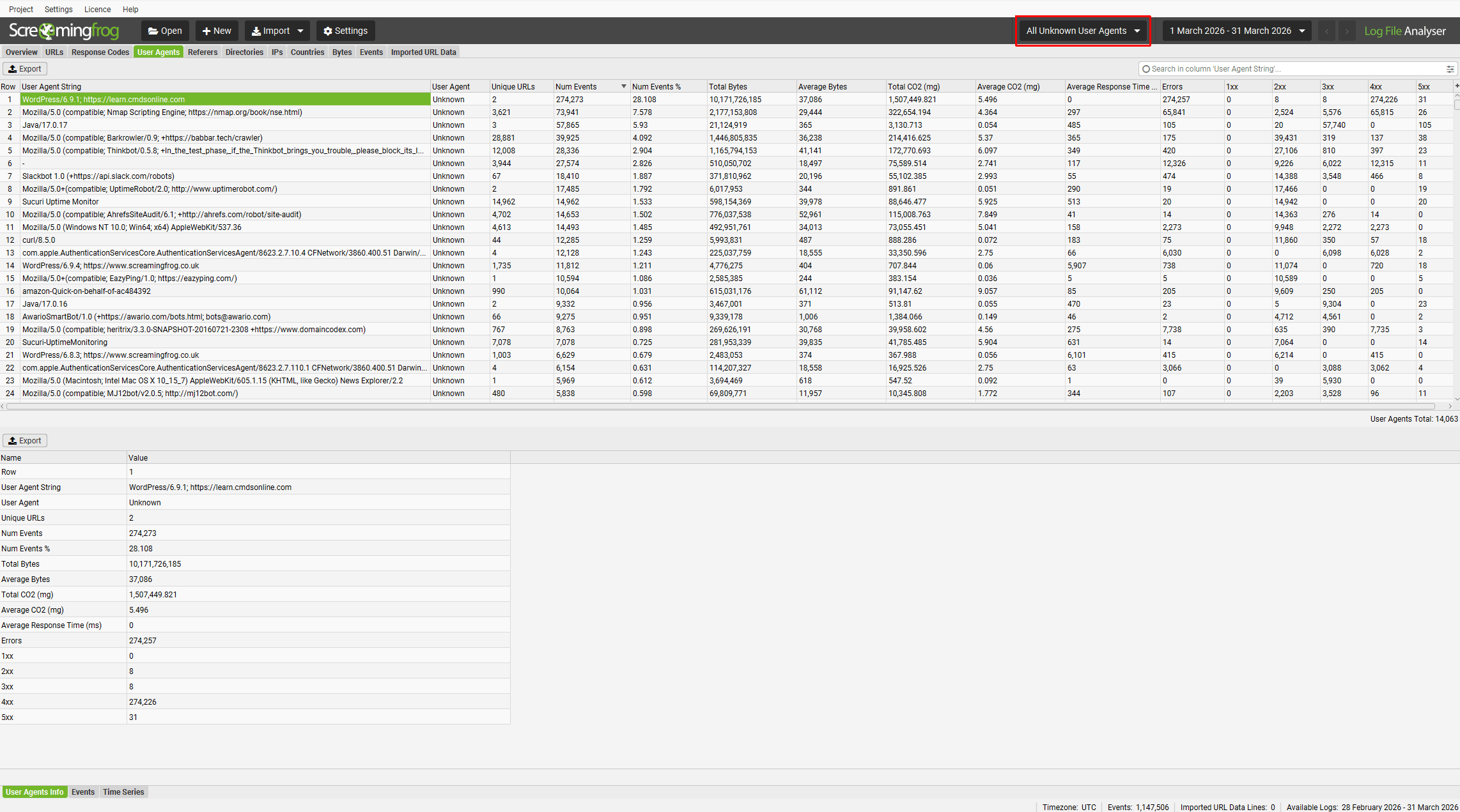
These might be bots you wish to add to the full user agent list to monitor more closely, or potentially block.
5) Import & Export Projects
You’re now able to export and import projects. This can be seen under the top level ‘Project’ menu.
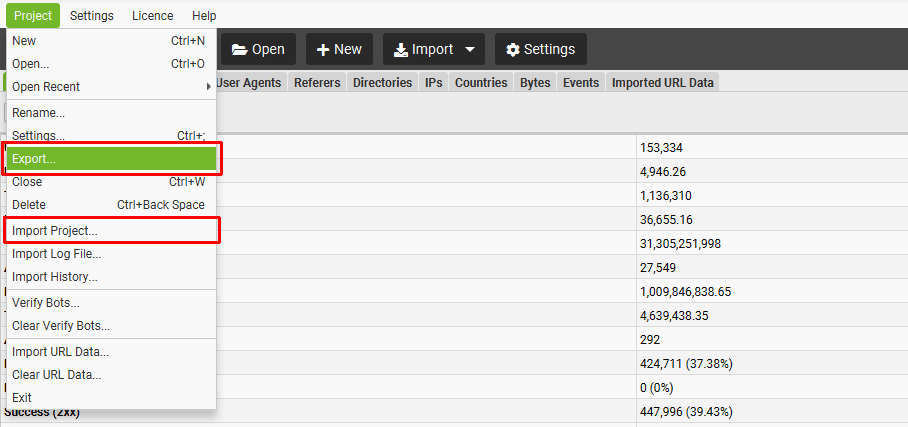
This allows you to share projects with other users, or archive without having to re-analyse the log files.
6) Export to Google Sheets
Alongside exporting as a CSV, or Excel, you’re now able to export to Google Sheets directly.
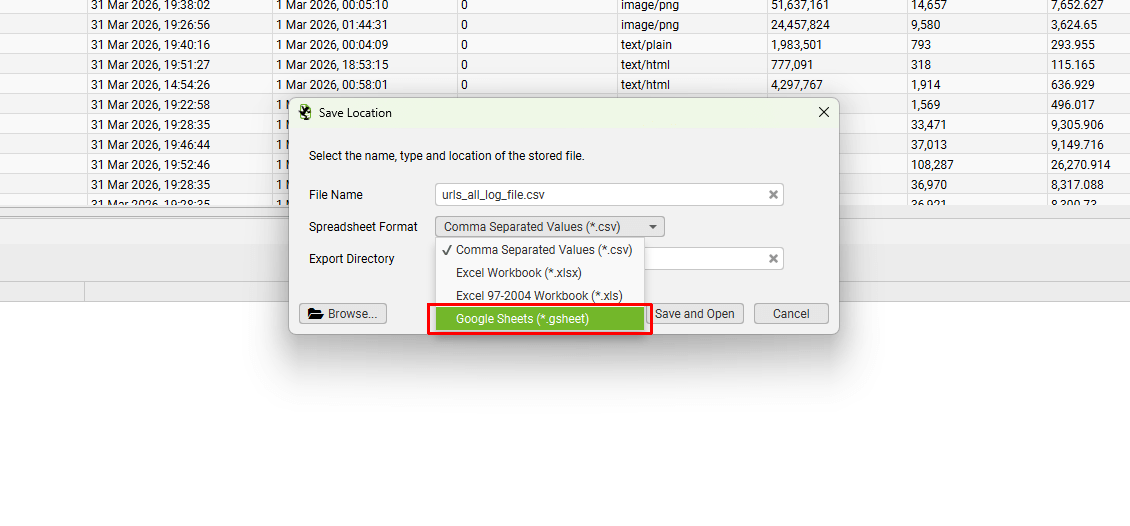
Just add your Google account, authorise the Log File Analyser and export.
7) New lower ‘Time Series’ Charts
Across various tabs there is a new lower ‘Time Series’ tab, which shows (you guessed it) a time series chart of the data. The filter allows you to switch the graph to different views, from Events, to Response Codes, Bytes, Average Response Times etc.
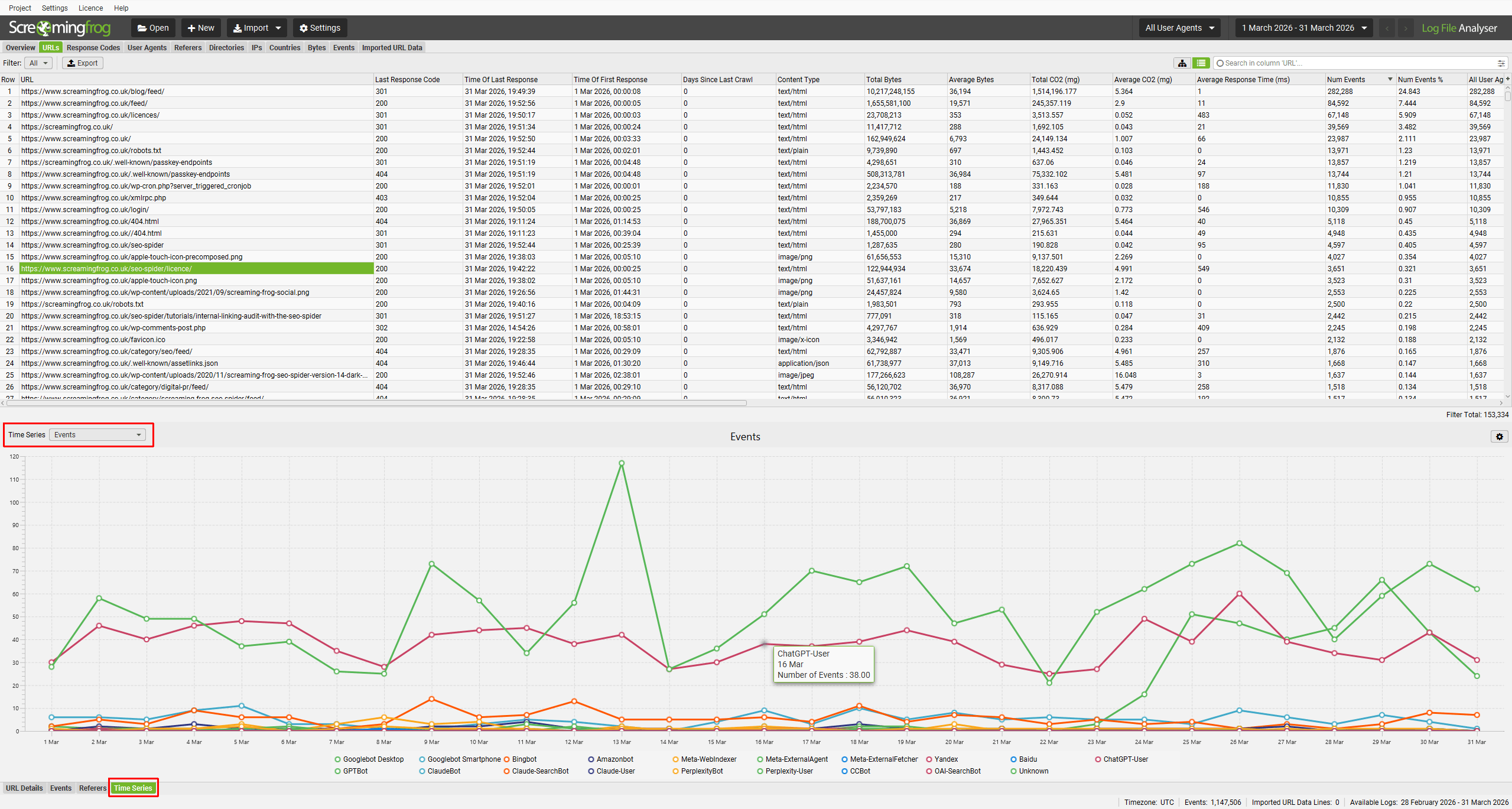
You’re able to highlight a single URL individually, or multiple URLs for an aggregated view.
This time series graph can be extremely useful when analysing patterns, such as sudden changes in response codes, or average response times suddenly spiking over a period of time.
8) Ubuntu and Fedora packages for Arm
We now have two more packages available for Arm users for both Ubuntu and Fedora.
At least three users will rejoice!
Other Updates
Version 7.0 also includes a number of smaller updates and bug fixes, outlined below.
- Usage Stats – There’s some fun Usage Stats available under ‘Help > Usage Stats’ which display the number of files you’ve imported, number of log lines as well as top user agents and tabs.
- Re-run Bot Verification – It’s now possible to re-run bot verification, without starting a new project. Simply hit ‘File > Verify Bots…’ in the menu.
- Advanced Table Search – There’s a new advanced table search across all tabs with better filtering options.
- Import XML Sitemaps – It’s now possible to import Sitemap files into the Imported URL Data tab to combinie data against log files and see if they are being crawled, or missing.
- Start a Crawl via Right Click – You can right click and ‘Start Crawl in SEO Spider‘ for improved efficiency.
- Updated Project Dialog – The dialog has been updated to include last modified time, and size. Projects are now ordered by last modified.
- Customisable Overview Charts – Click on the ‘Charts’ button on the Overview tab, and you can add additional charts for Average Response Time, Total Co2 and Bytes. This collates data in the details views/graphs when you multi-select in the main view.
- Improved Importing – There’s been a number of improvements to make it more likely to be able to import a log file without user adjustment.
- More Responsive – Loading data, and navigating between tabs or using filters is now much faster!
- Java 25 – One for the purists. Version 7.0 has been updated to Java 25.
We hope you like version 7.0!
If you’re looking for inspiration for log file analysis, then read our guide on 22 ways to analyse log files for SEO.
Once again, thanks to everyone for their continued support, feedback and feature requests. Please let us know if you experience any issues with version 7.0 of the Log File Analyser via our support.
Small Update – Version 7.1 Released 6th July 2026
We have just released a small update to version 7.1 of the Log File Analyser. This release is mainly bug fixes and small improvements –
- Updated progress dialogs to give more accurate progress.
- Improved importing of various log file types.
- Fixed issue exporting open projects on Windows.
- Fixed date mismatch on graphs.
- Fixed issue where import/export of projects would only work for exactly that same version.
- Fixed various crashes.




I had a chance to check this feature recently. Absolutely amazing! Thanks Dan, very clear instructions!
Cheers,
I explored this yesterday, and it’s really excellent. The new AI bot verification and user-agent grouping are especially useful for understanding which bots are crawling a website. The improvements to project management and Google Sheets export are also quite handy. Overall, a very good update for anyone working with log file analysis.