
Anthropic
Dan Sharp
Posted 10 June, 2025 by Dan Sharp in
Anthropic
Configuration > API Access > AI > Anthropic
To connect to the Anthropic API, you need an API key. You can create a paid account via their Build With Claude API page and ‘Start Building’ button.
After creating an account, generate an API key via the account settings page.
When you have an API key, copy and paste it into the ‘API Key’ field in the Anthropic Account Information tab.

Click ‘Connect’ when you wish to use the set up for a crawl.
Navigate to the ‘Prompt Configuration’ tab, to set up up to 100 prompts against crawl data.

Select the model used (for example, ‘claude-3-5-sonnet-latest’), content type and data to be used for the prompt, such as body text, HTML, or a custom extraction, as well as write your custom prompt.
Please note: To use ‘Page Text’ or ‘HTML’ for the prompt, you will need to enable ‘Store HTML‘ via ‘Config > Spider > Extraction’.
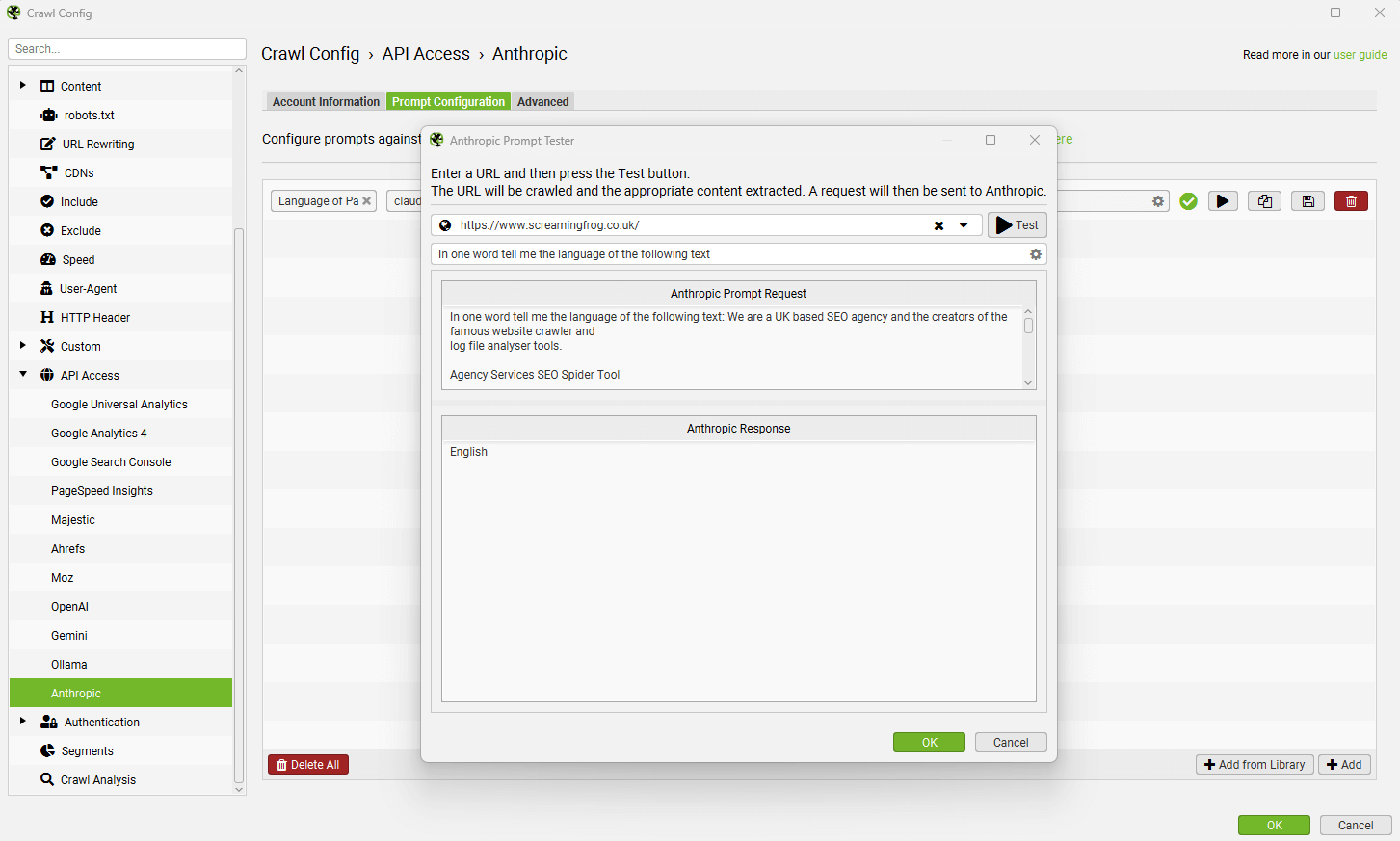
To test a prompt, use the ‘play’ icon to the right of the prompt field.

In the Anthropic prompt tester, input the URL to test and click the ‘Test’ button to display both the extraction, and response.
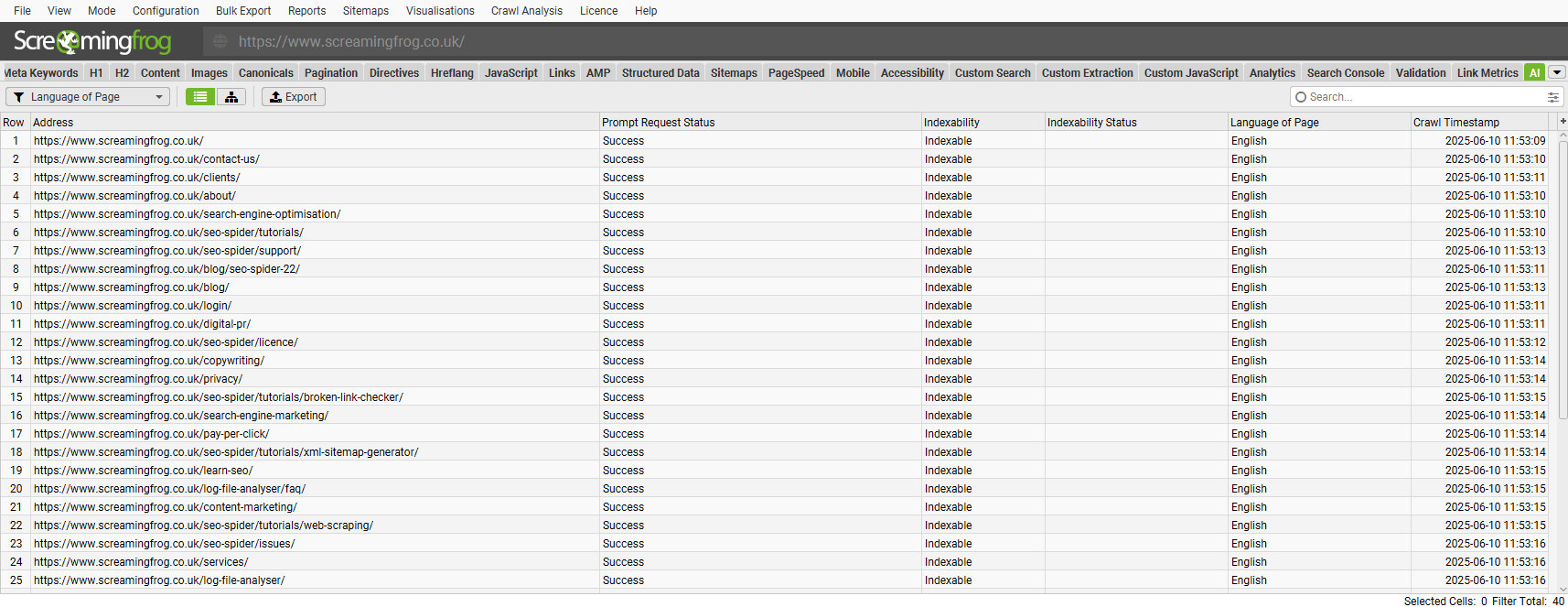
Data from the prompt will appear in the AI tab (and Internal tab, against your usual crawl data).
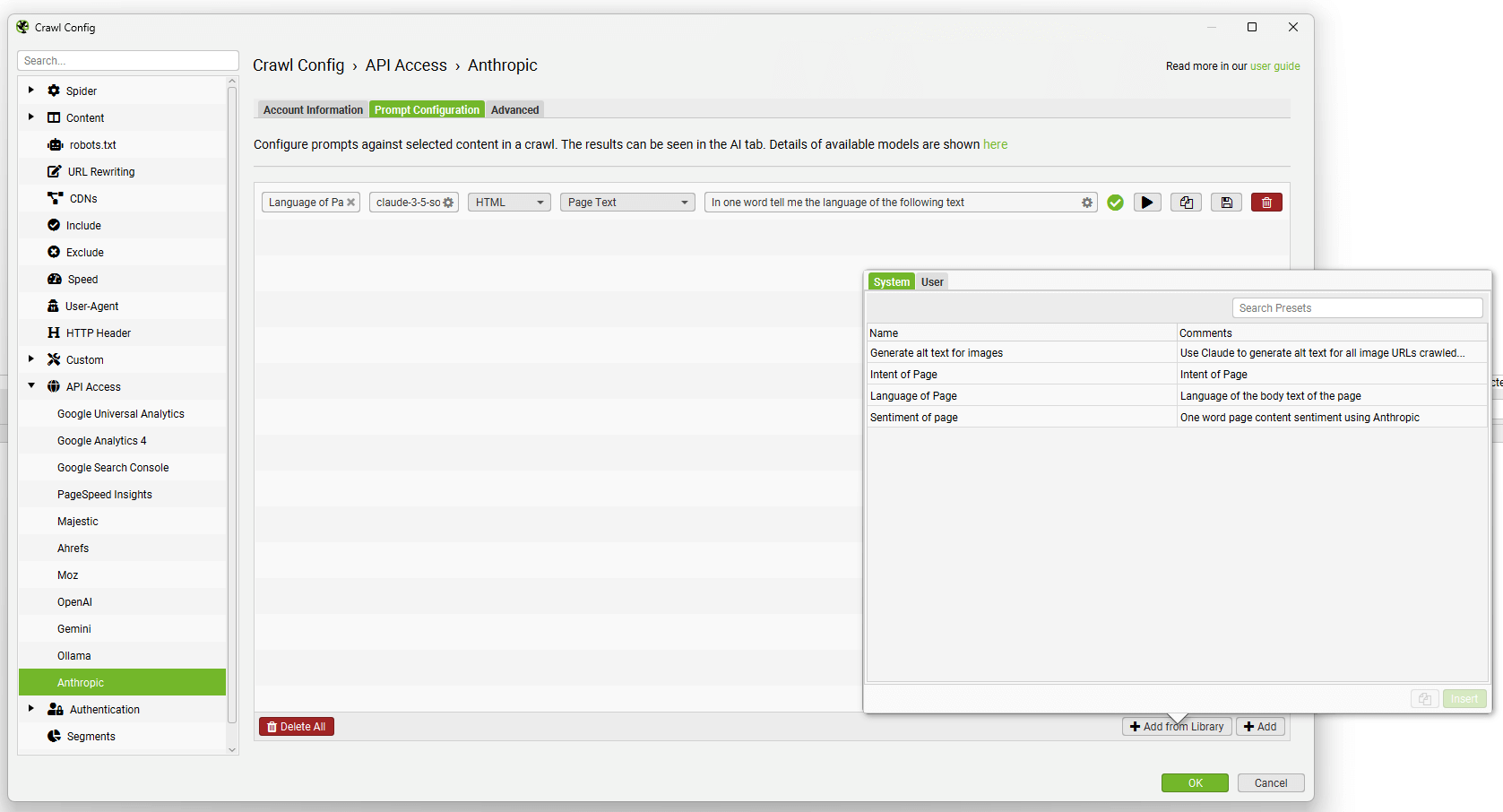
The ‘Add from Library’ function includes a few prompts for inspiration.
You’re able to add and customise your own using the ‘Add from Library’ button, clicking ‘User’ and the ‘+’ button.
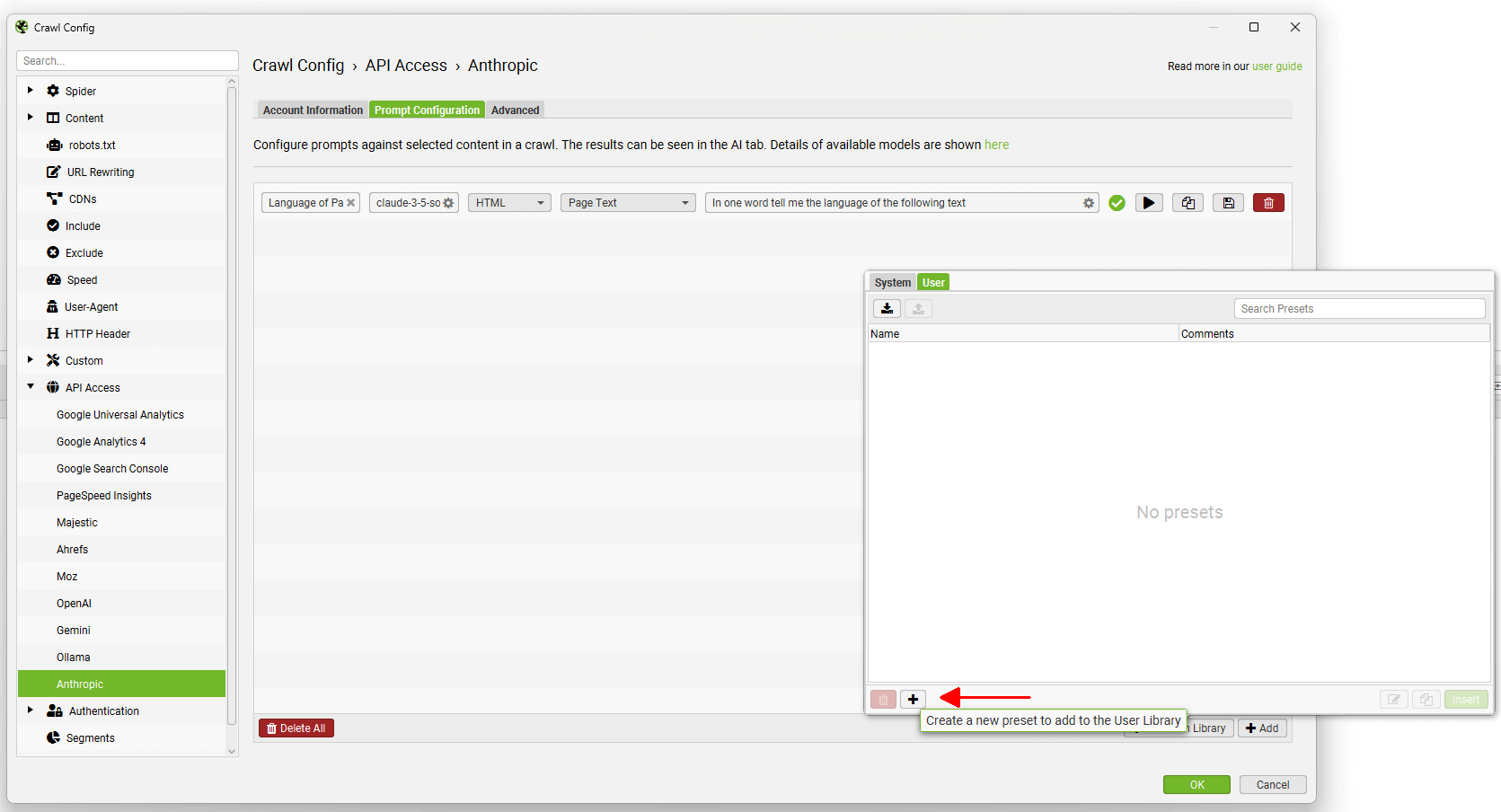
Custom prompts can be shared using the export and import buttons at the top.
Read our full tutorial on How To Crawl With AI Prompts.