
Notifications
Dan Sharp
Posted 12 November, 2024 by Dan Sharp in
Notifications
File > Settings > Notifications (Windows, Linux)
Screaming Frog SEO Spider > Settings > Notifications (macOS)
The notifications settings allow you to connect to an email account and send an email from this account on crawl completion to selected email addresses.
You can select an Outlook or Gmail account, or set up custom SMTP settings to send email notifications from.

If you select Gmail, please remember to confirm the ‘Send email on your behalf’ box during authorisation, or emails will not send.

The email delivered confirms crawl completion and provides top-level data from the crawl, as well as an Issues table below.

There are two ways to send emails on crawl completion.
Email for All Crawls
Enable the ‘Email on Crawl Complete’ option to send an email when a crawl finishes for every crawl to specified email addresses.
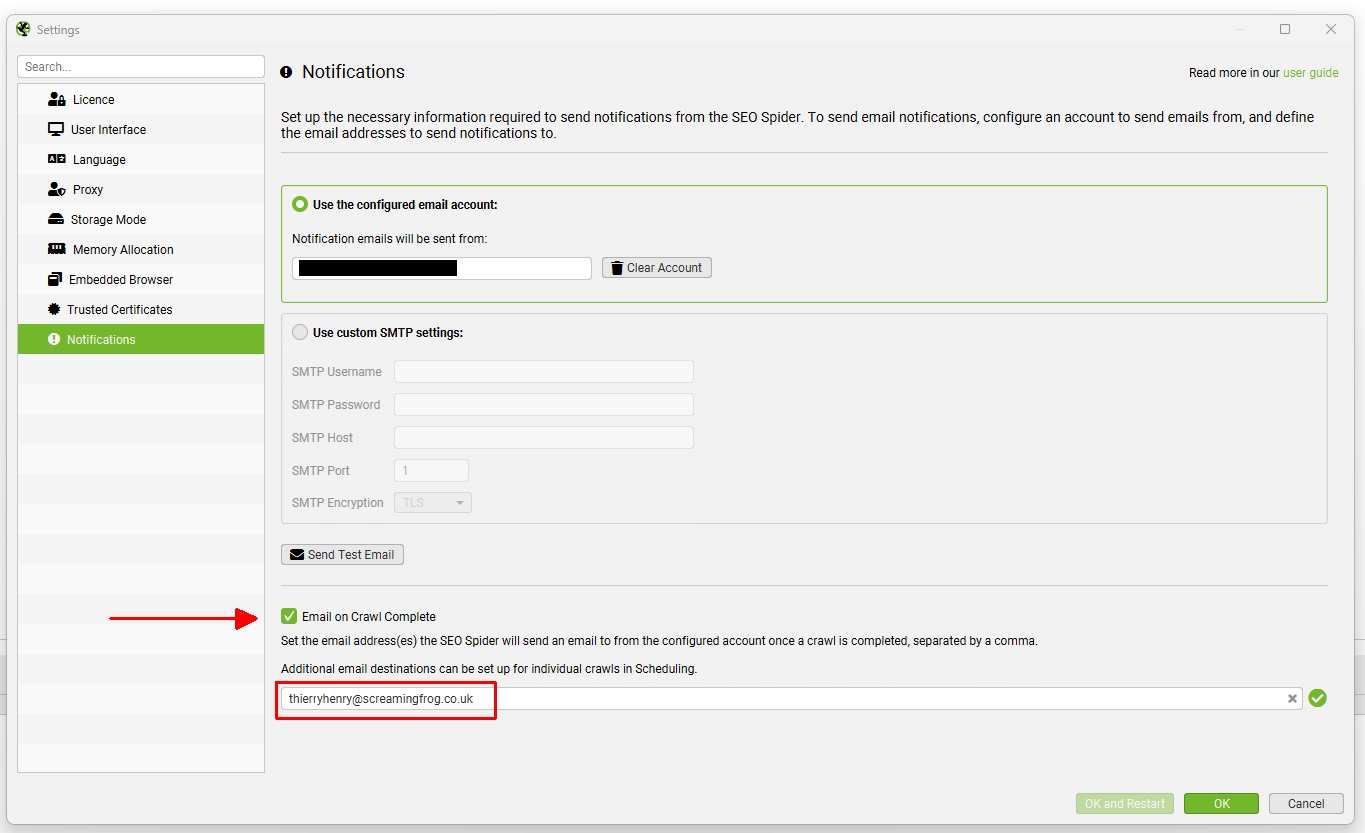
This is useful when a user or team want to know when any crawl has completed. The email includes a summary at the top, as well as the Issues table below.
Email for Scheduled Crawls
Alternatively, send notification emails for specific scheduled crawls upon completion using the ‘Notifications’ tab in the scheduled crawl task via ‘File > Scheduling > Scheduled Crawl Task’.
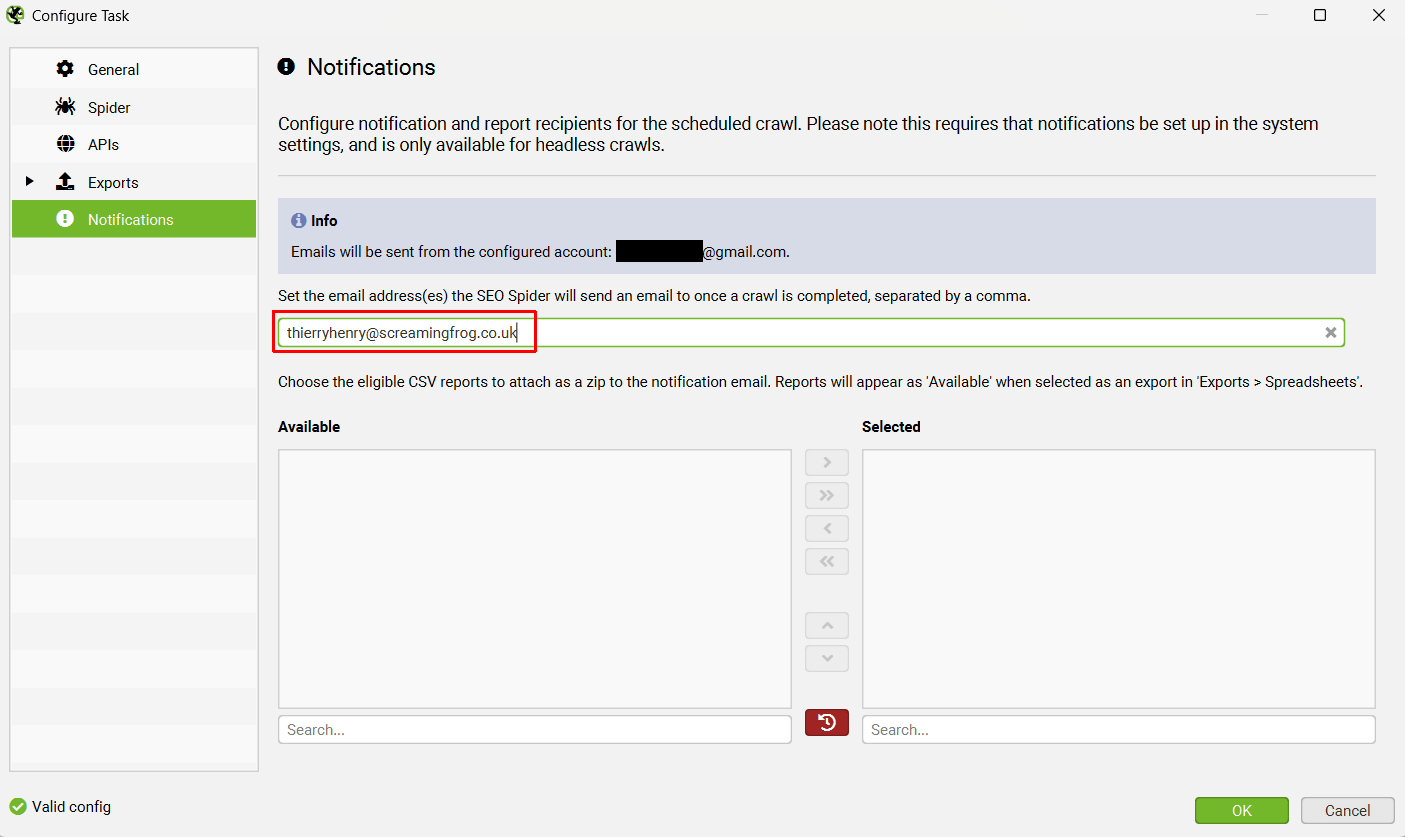
This is useful when a user or team want to know when a specific crawl has completed only.
If you have selected to ‘Auto Compare Crawls’ in the scheduled crawl task.
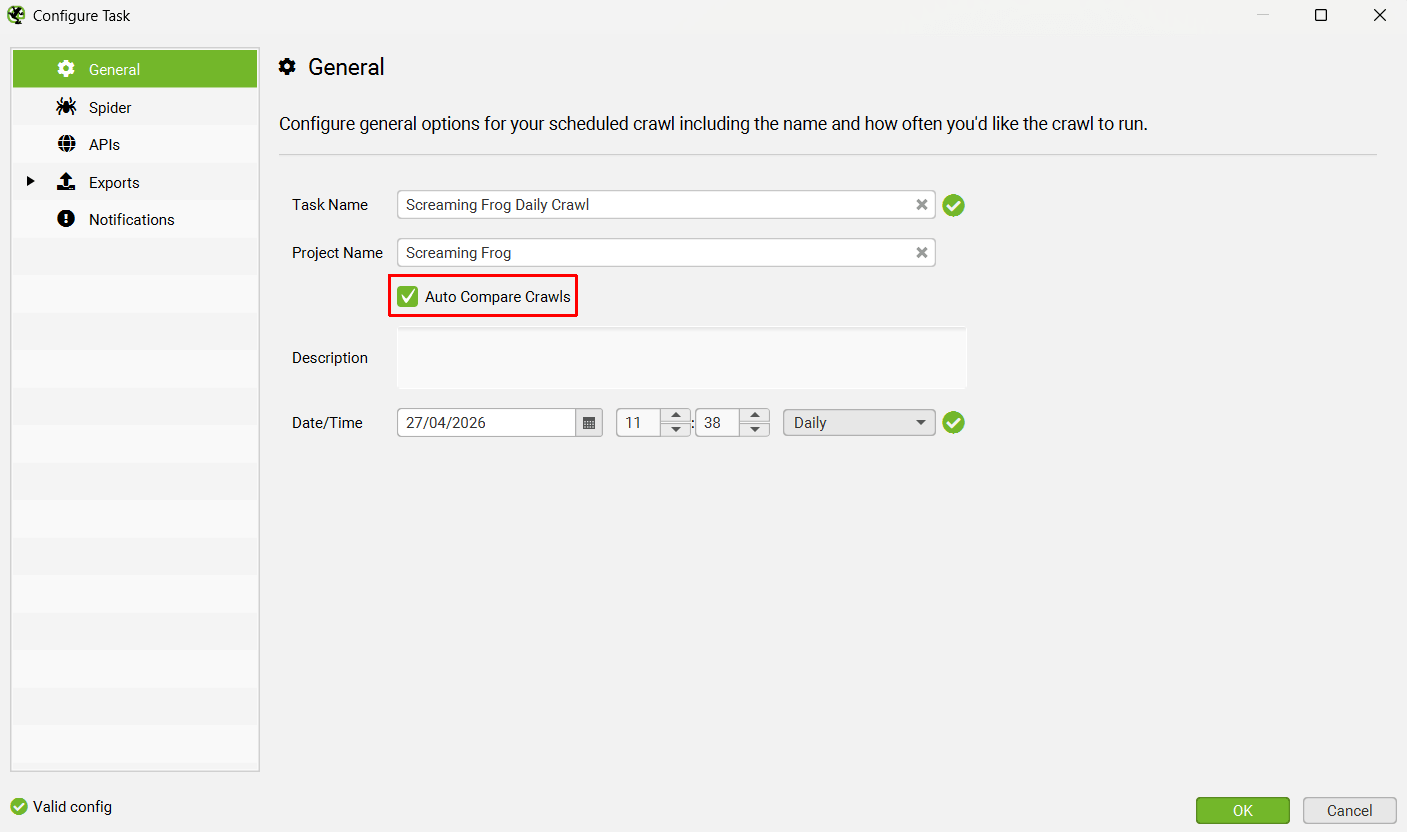
You will receive an email including changes between the last two crawls.
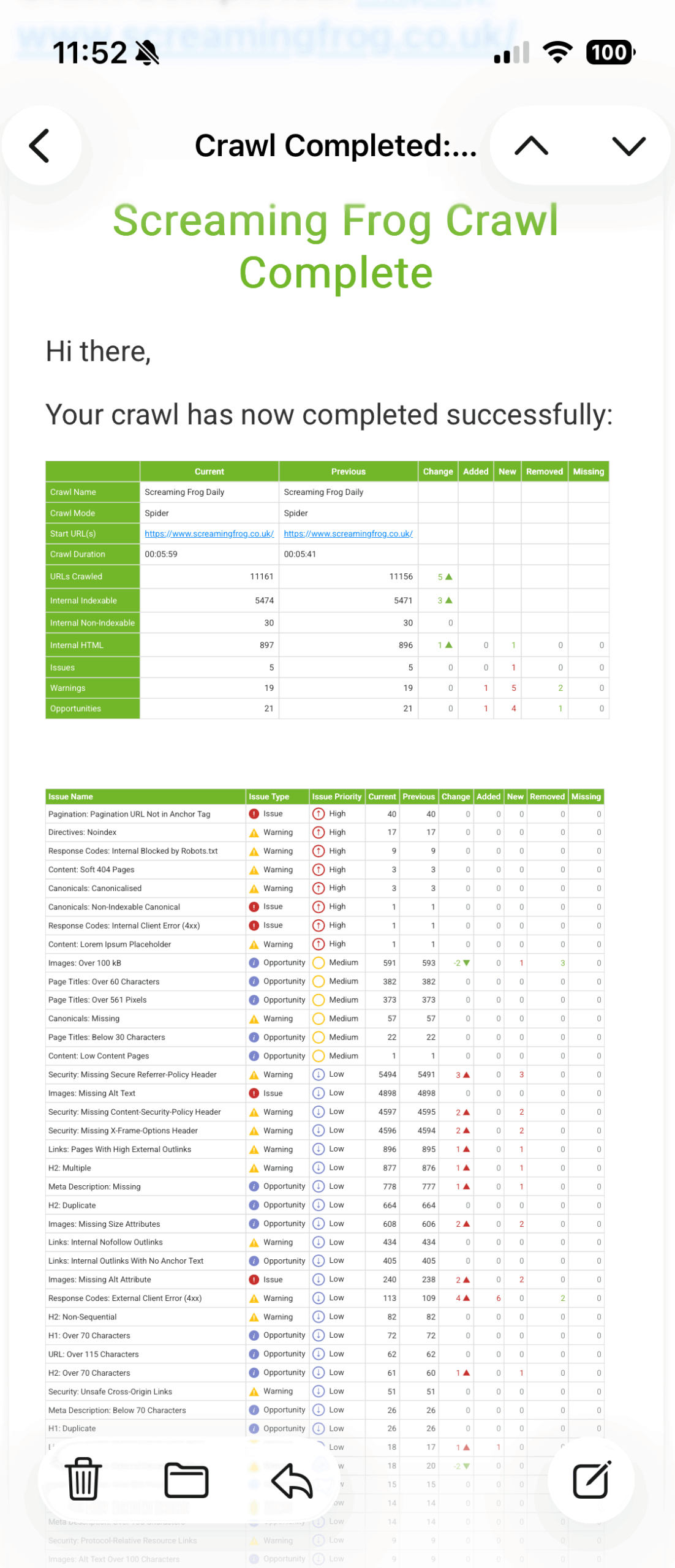
This is a great way to monitor and be alerted to website changes and SEO issues – such as pages being added or removed, a sudden spike in non-indexable pages, or page titles disappearing.
You’re also able to send emails with export attachments automatically upon crawl completion. First, select the exports you want to send under ‘Exports’, then return to ‘Notifications’ and move any you wish to send via email from Available to Selected.
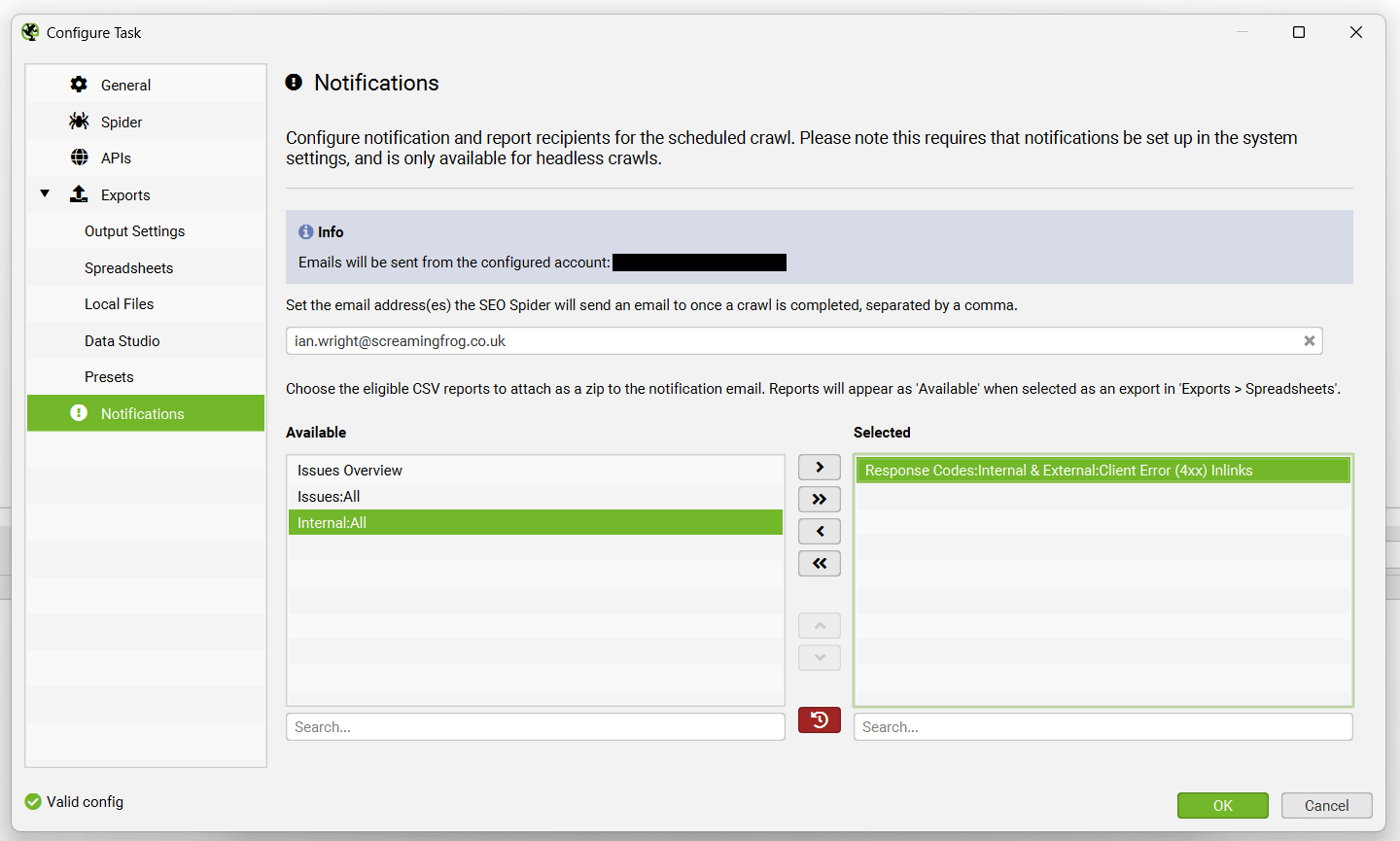
For example, if you need to send a weekly broken links export to a developer, or a crawl issues summary to a stakeholder, you can input their email and the report of choice and it will appear in their inbox.
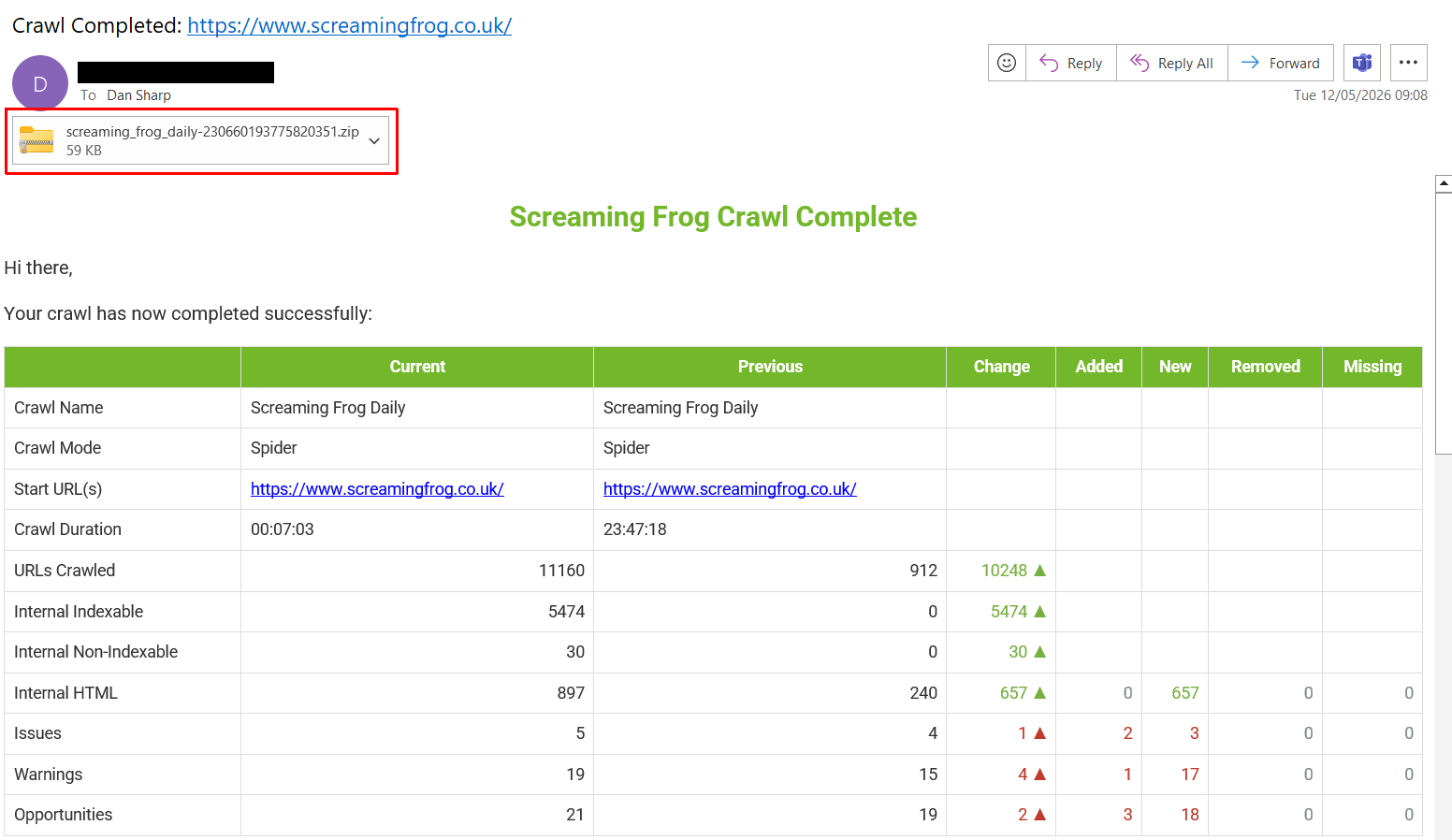
Attachments are zipped and the email will warn the receiver if there is an error, such as attachments being too large in size for the email provider.
Please note: If you’re receiving emails regarding a ‘Screaming Frog Crawl Complete’, it is not us sending them. Please review your own settings, or speak with colleagues and agencies you work with that may have these set up to adjust in anyway.
Please read our tutorial on ‘How To Set Up Crawl Email Notifications & Export Attachments‘.