
Embeddings
Dan Sharp
Posted 10 June, 2025 by Dan Sharp in
Embeddings
Configuration > Content > Embeddings
The SEO Spider is able to utilise vector embeddings generated by AI providers to identify semantically similar pages and low relevance content, as well as semantic search and the content cluster diagram visualisation.
To enable this functionality, first navigate to ‘Config > API Access > AI’ and select an AI provider to use to generate embeddings. Select from OpenAI, Gemini & Ollama. Ensure you have set up an account and have an API key as outlined in the guides above.
When you have selected your AI provider, navigate to the ‘Prompt Configuration’, select ‘Add from Library’ and choose the relevant preset for embeddings.
Using Gemini as an example, this would mean selecting ‘Extract Semantic Embeddings from Page’, which will be added as a prompt.

The prompt will be displayed, with an error message explaining that ‘Store HTML’ must also be configured.

Before configuring the Store HTML option, remember to ‘Connect’ to the API under ‘Account Information’.

Now go to ‘Config > Spider > Extraction’ and enable ‘Store HTML’ and ‘Store Rendered HTML’, so page text is stored to be used for vector embeddings.
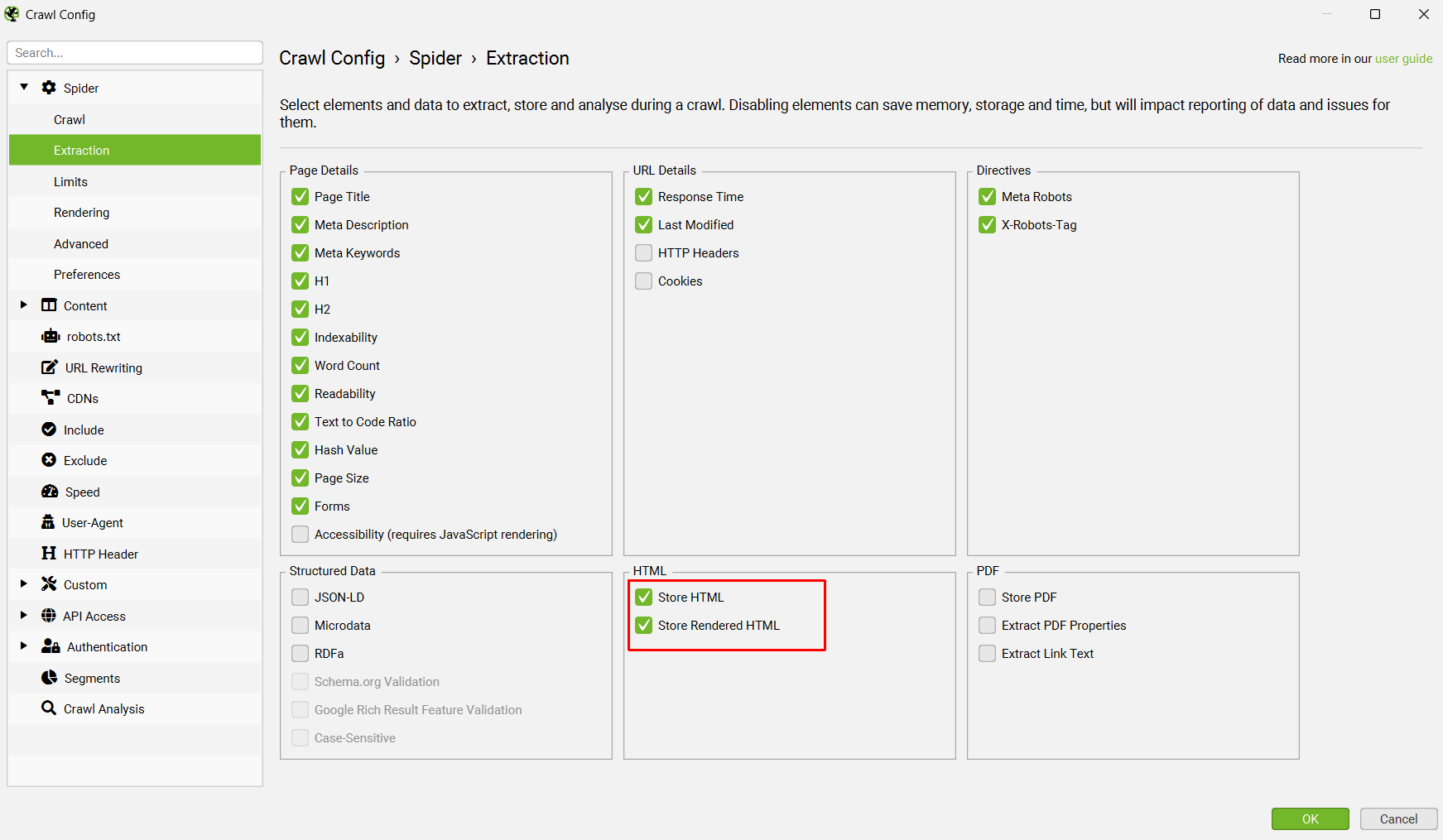
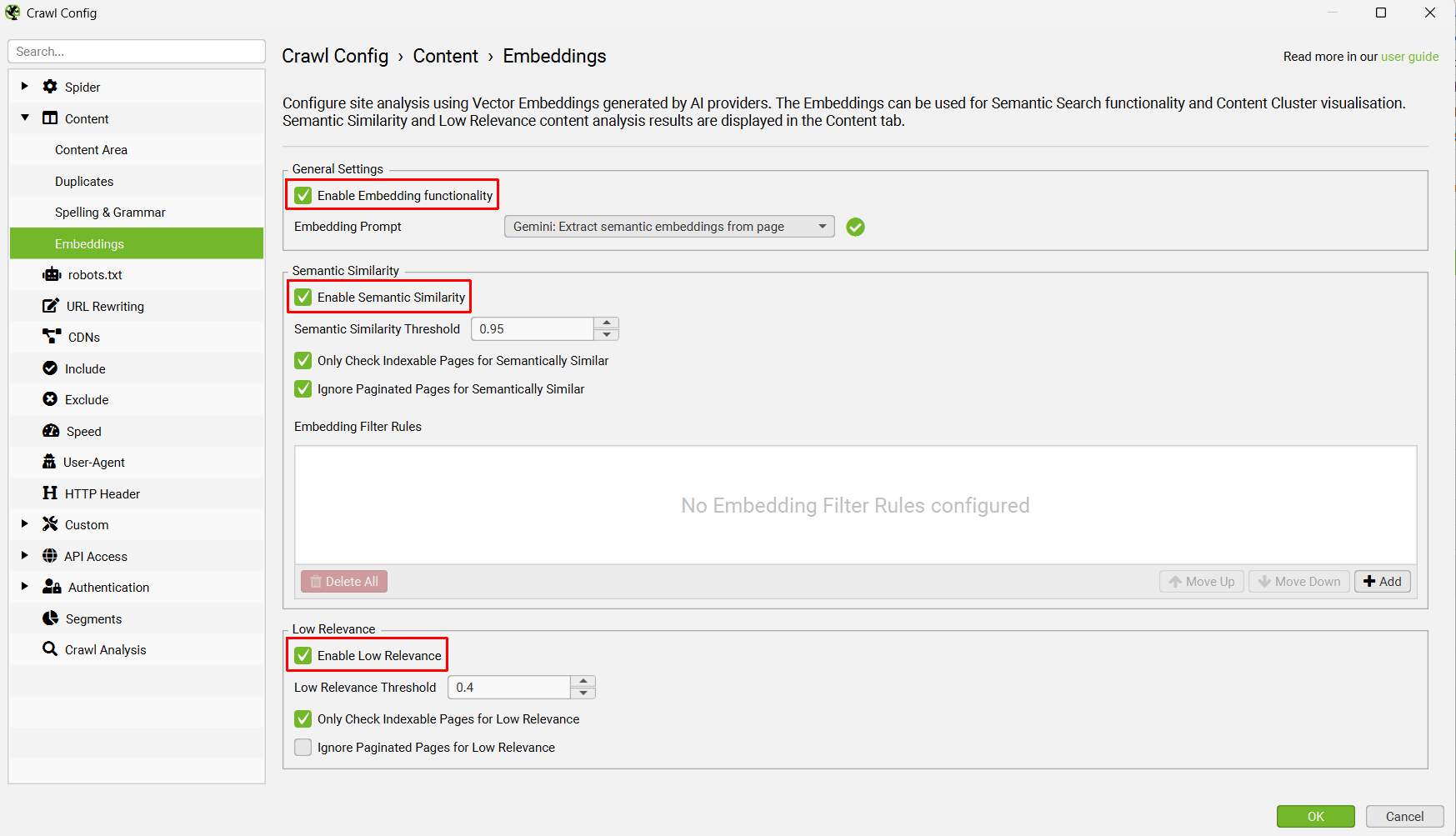
When this is set up, re-visit the Embeddings configuration via ‘Config > Content > Embeddings’.
Click ‘Enable Embedding functionality’ and the prompt set up should automatically be displayed in the embedding prompt dropdown. Enable ‘Semantic Similarity’ and ‘Low Relevance’ to populate the relevant columns and filters in the Content tab.
When the crawl has completed, run crawl analysis, and then the ‘Semantically Similar’ and ‘Low Relevance Content’ filters will be populated in the Content tab.
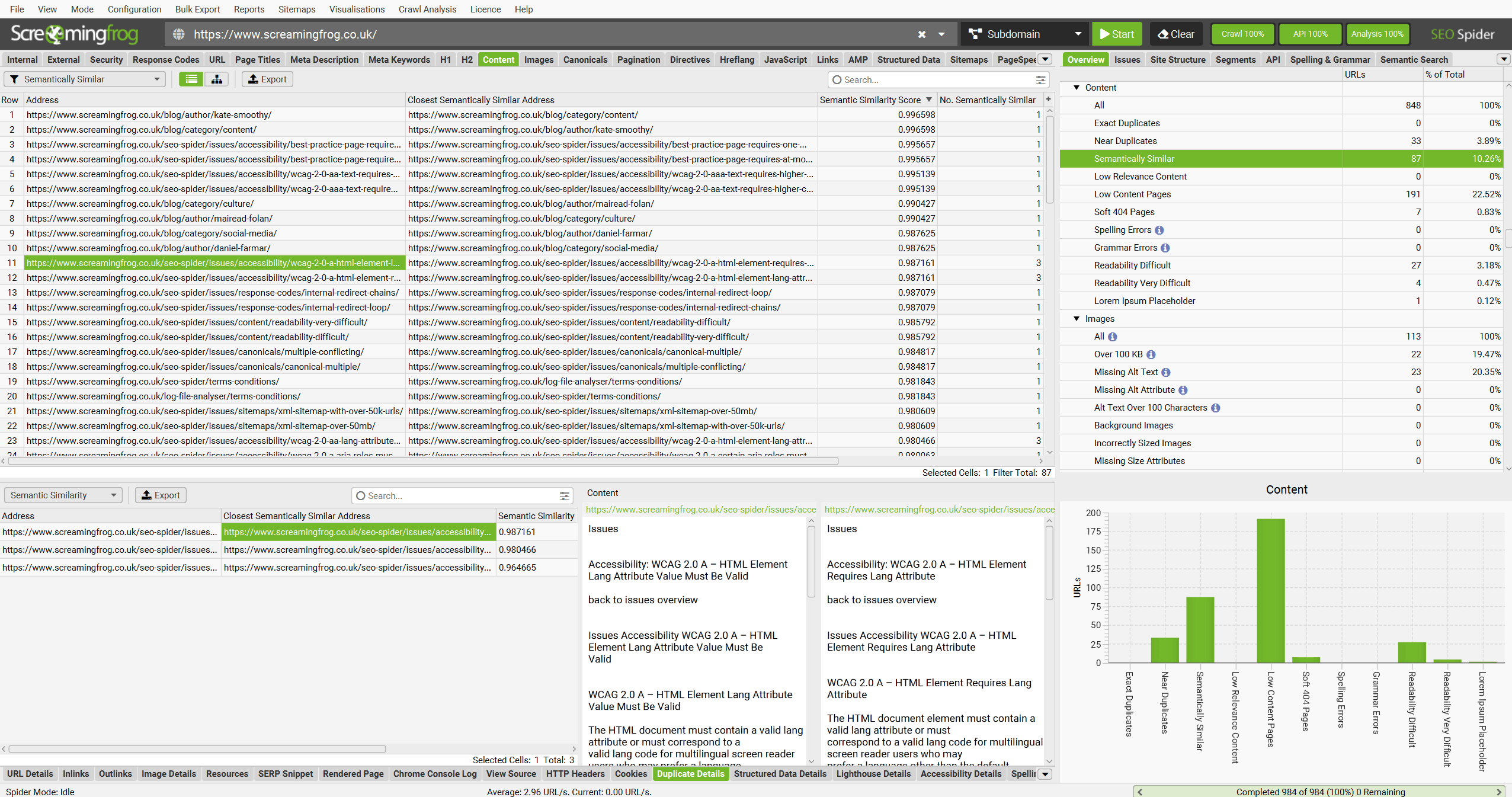
Please see our tutorial on How to Identify Semantically Similar Pages & Outliers.
Embeddings will also be utilised for the right hand ‘Semantic Search’ and the ‘Content Cluster Diagram’.
Embedding Rules
The embedding filter rules option allow you to define URL patterns for semantic similarity. This means you can add a rule to only find semantic matches for a staging site on the live website, or from specific regions or sections for more granular control.
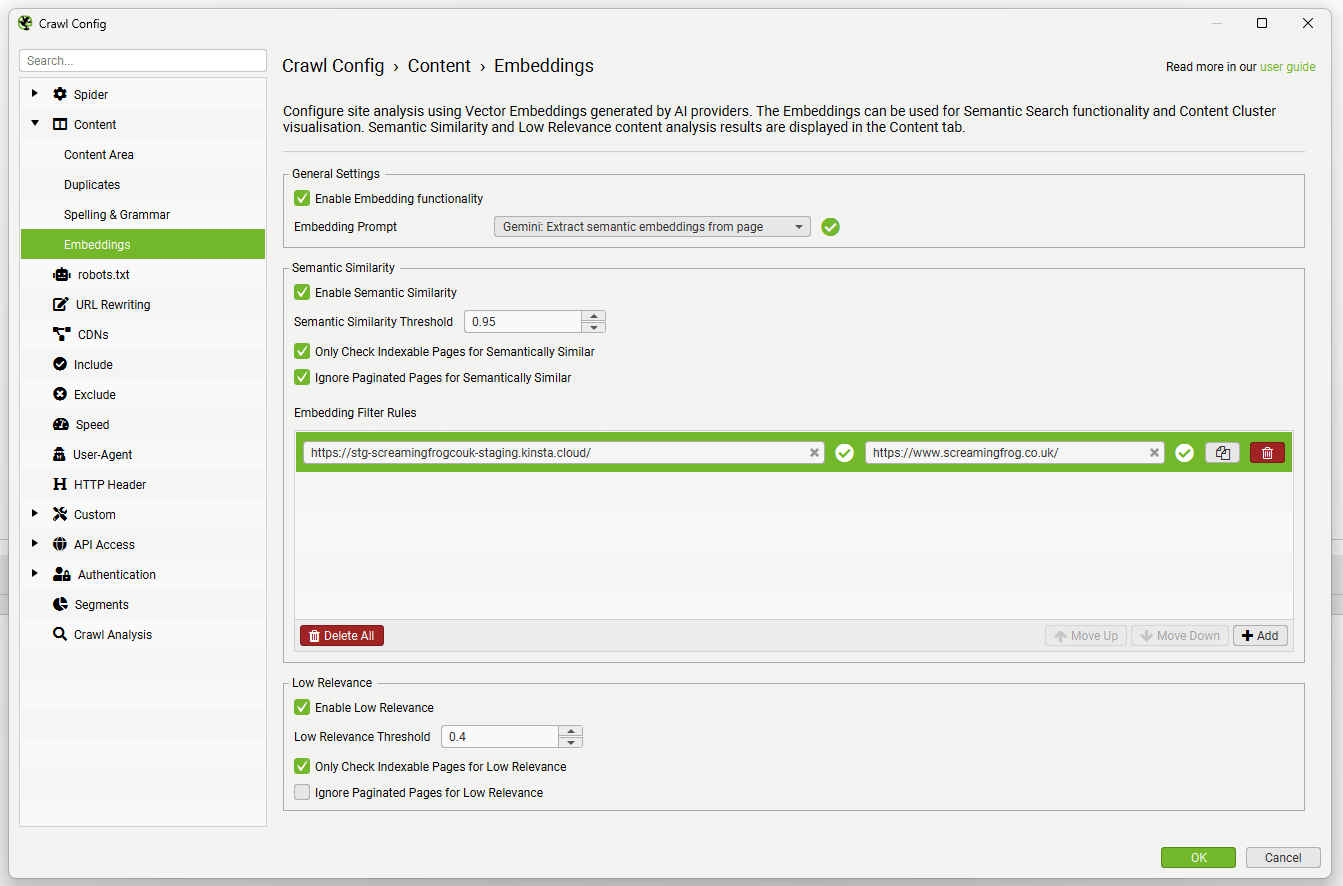
Please see our tutorial on How To Use Vector Embeddings for Redirect Mapping.