
Screaming Frog SEO Spider Update – Version 25.0
Dan Sharp
Posted 3 November, 2026 by Dan Sharp in Screaming Frog SEO Spider
Screaming Frog SEO Spider Update – Version 25.0
We’re delighted to announce Screaming Frog SEO Spider version 25.0, codenamed internally as ‘eaten your lunch’.
In this release we have introduced updates for some longstanding feature requests, as well as some smaller improvements.
Let’s take a look at what’s new.
1) JSON Config
Our config files are now in JSON format to improve automation via the CLI, and MCP. This is both machine-and-human readable, and can be updated using a text editor.
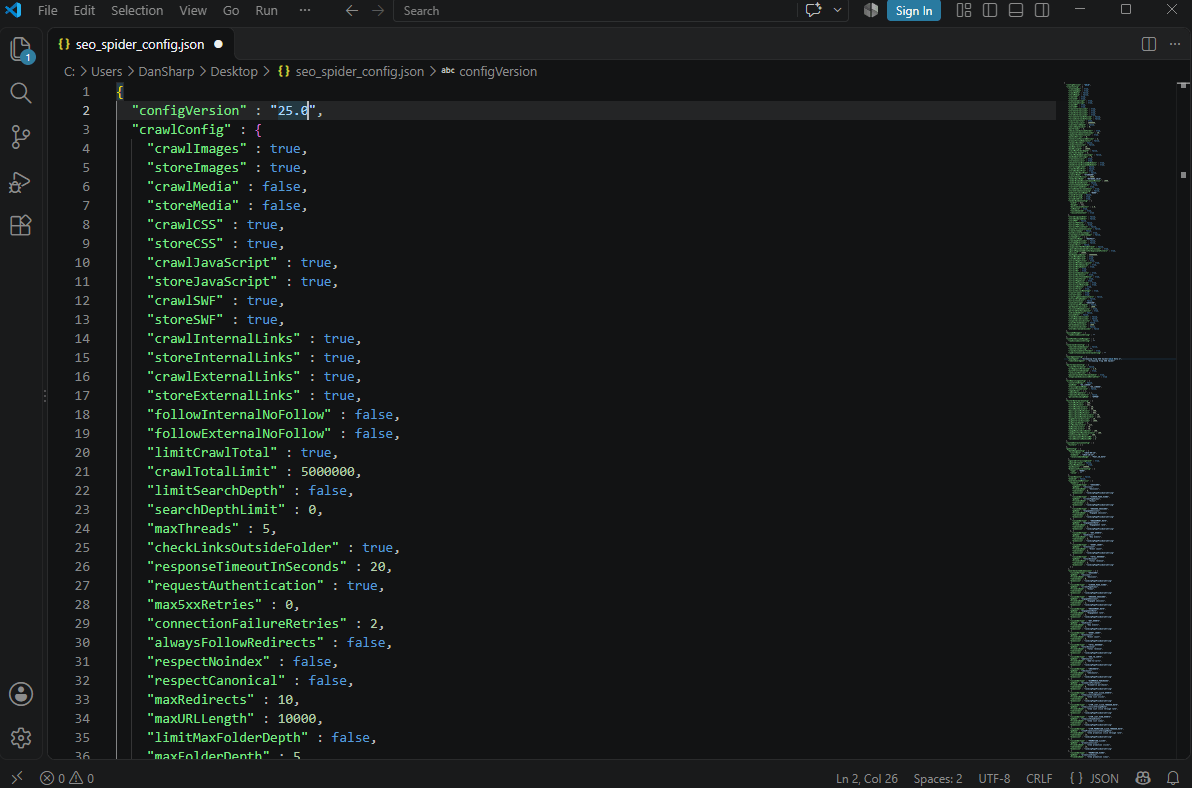
Alongside improved tooling within the MCP integration, the JSON config means your AI assistant can now fully adjust the SEO Spider configuration on the fly.
Describe what you want in plain English, and the AI assistant is able to configure the crawl for you, from enabling JavaScript rendering, to setting up complex segments, writing custom JS snippets, or working out that tricky XPath for custom extraction.
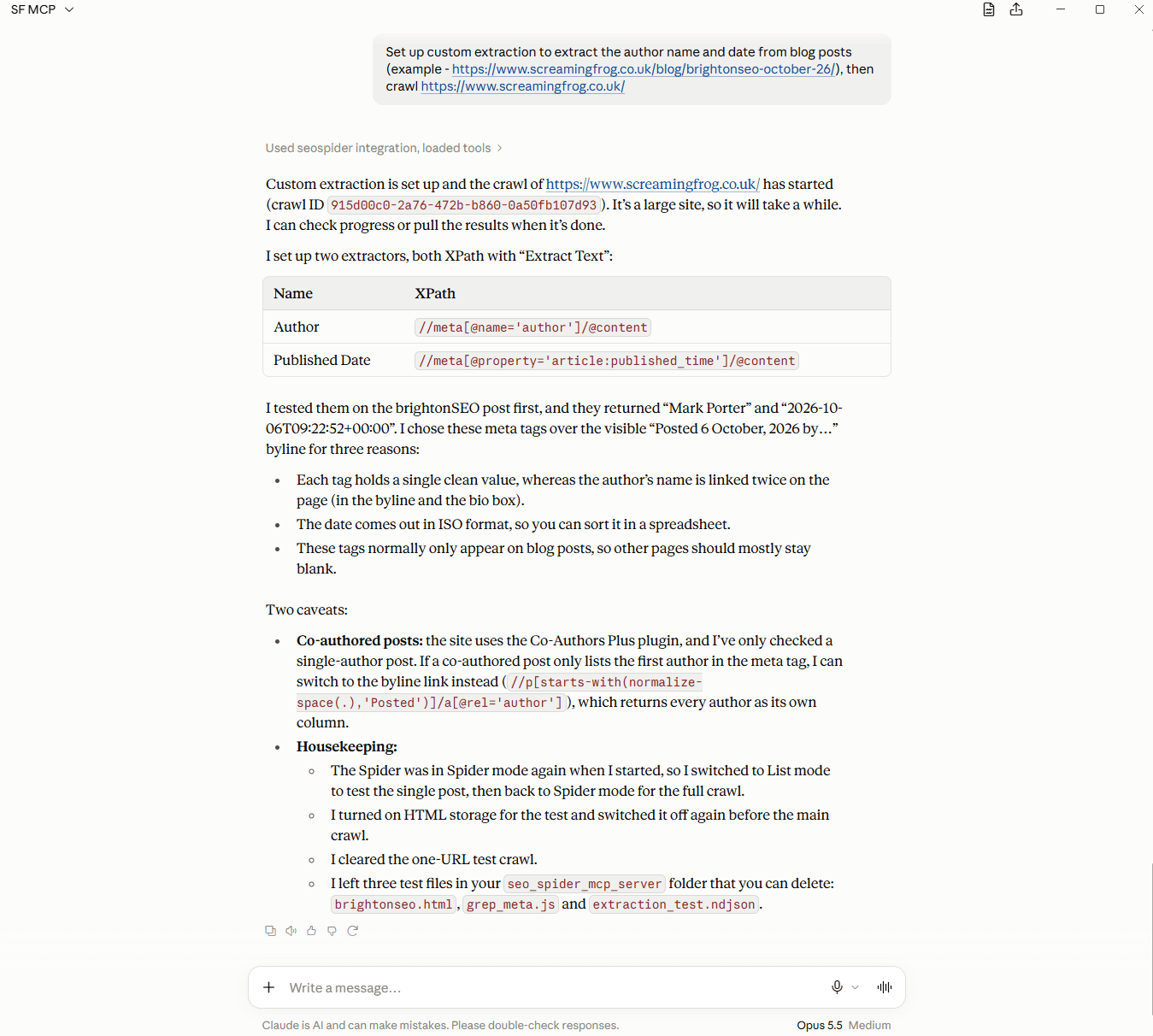
The MCP can be used to do the heavy lifting. The old config format is still supported.
2) MCP Debugging Tooling
We’ve also integrated debugging tooling within the MCP, so now if there is a problem with the crawl, your AI assistant will be able to inform you, and come up with an appropriate solution.
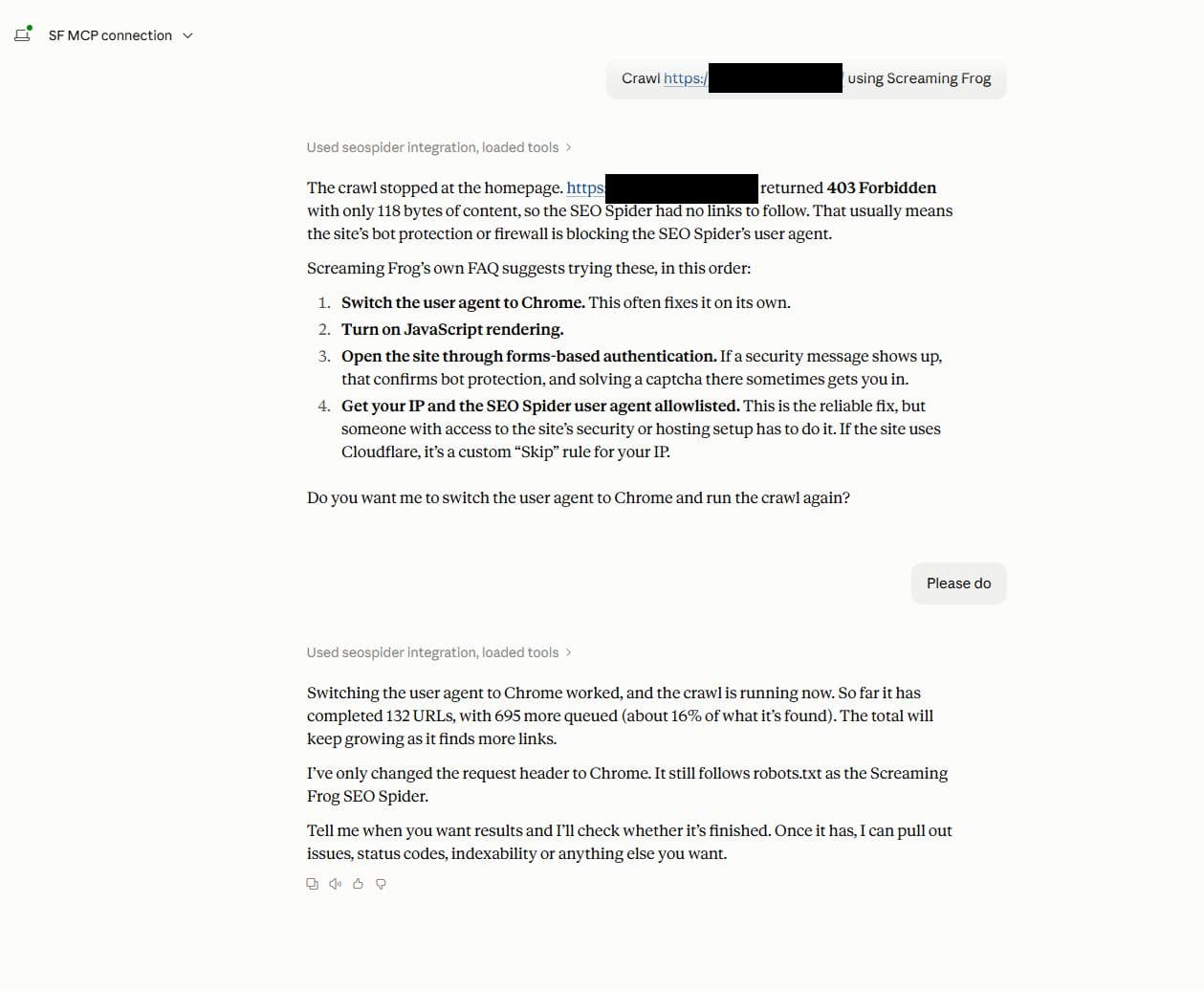
The new JSON config and improved debugging should improve workflows for advanced users that rely on the CLI and MCP, as well as make it easier for those still learning how to use the tool.
3) Custom Dashboard
While everyone knows the GUI is dead, there’s now a Dashboard tab, which allows you to build your own custom dashboards for improved visualisation and faster time to insight.
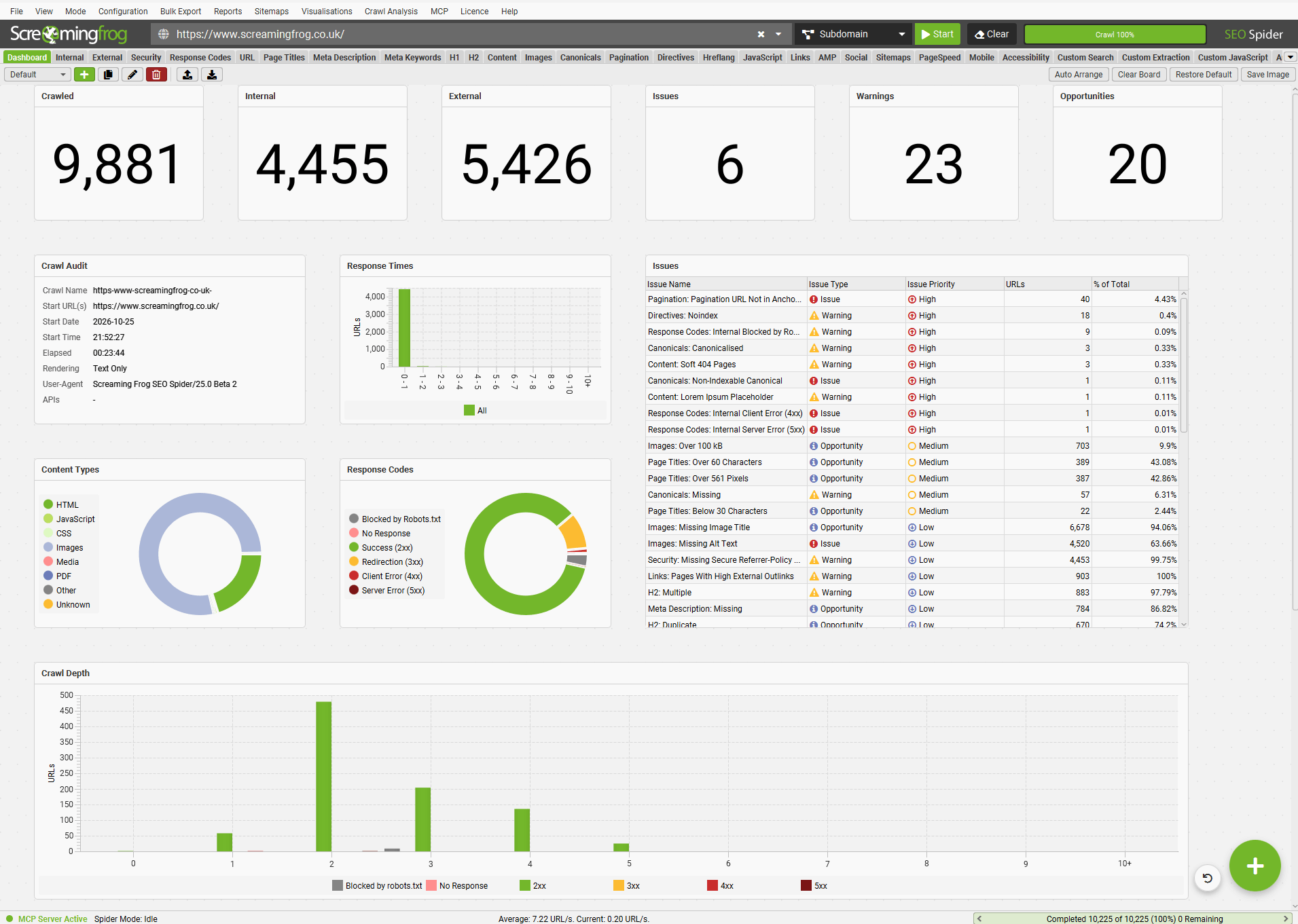
This feature allows you to select from a variety of different widgets, such as charts, counters, tables and more to view data from across the crawl audit that is important to you.
You can create and share different dashboards, select your own default and export for stakeholder summaries and presentations.
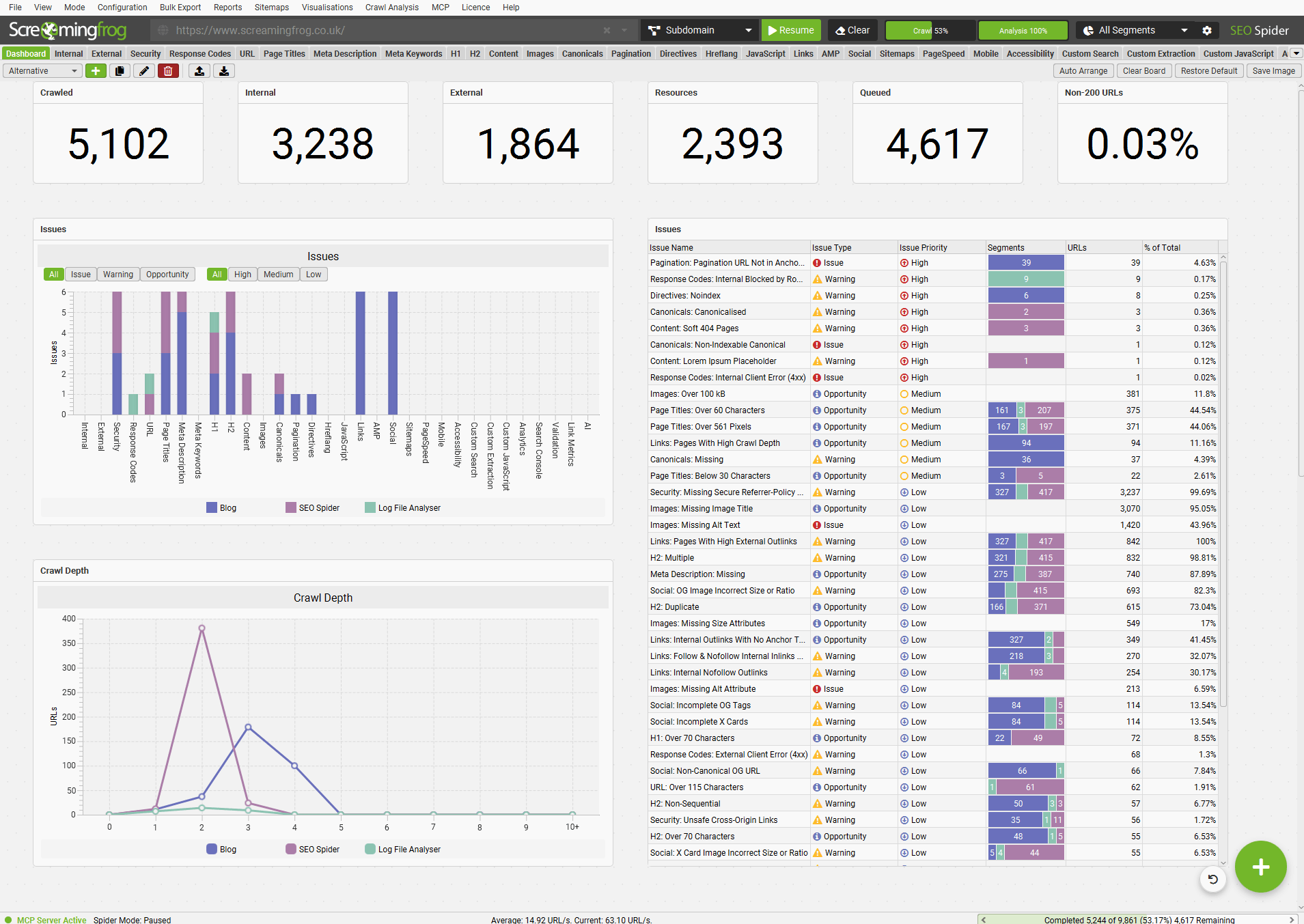
Just click the ‘+’ symbol in the bottom right, and start creating.
4) Configurable Issues
SEO issues are now fully adjustable. They can be disabled, or adjusted in type (Issue, Warning, Opportunity) and priority (High, Medium, Low) for each crawl using the right-hand Issues tab.
This allows you to tune the Issues tab to your own audit standards, or what is important to you or clients for the specific crawl.
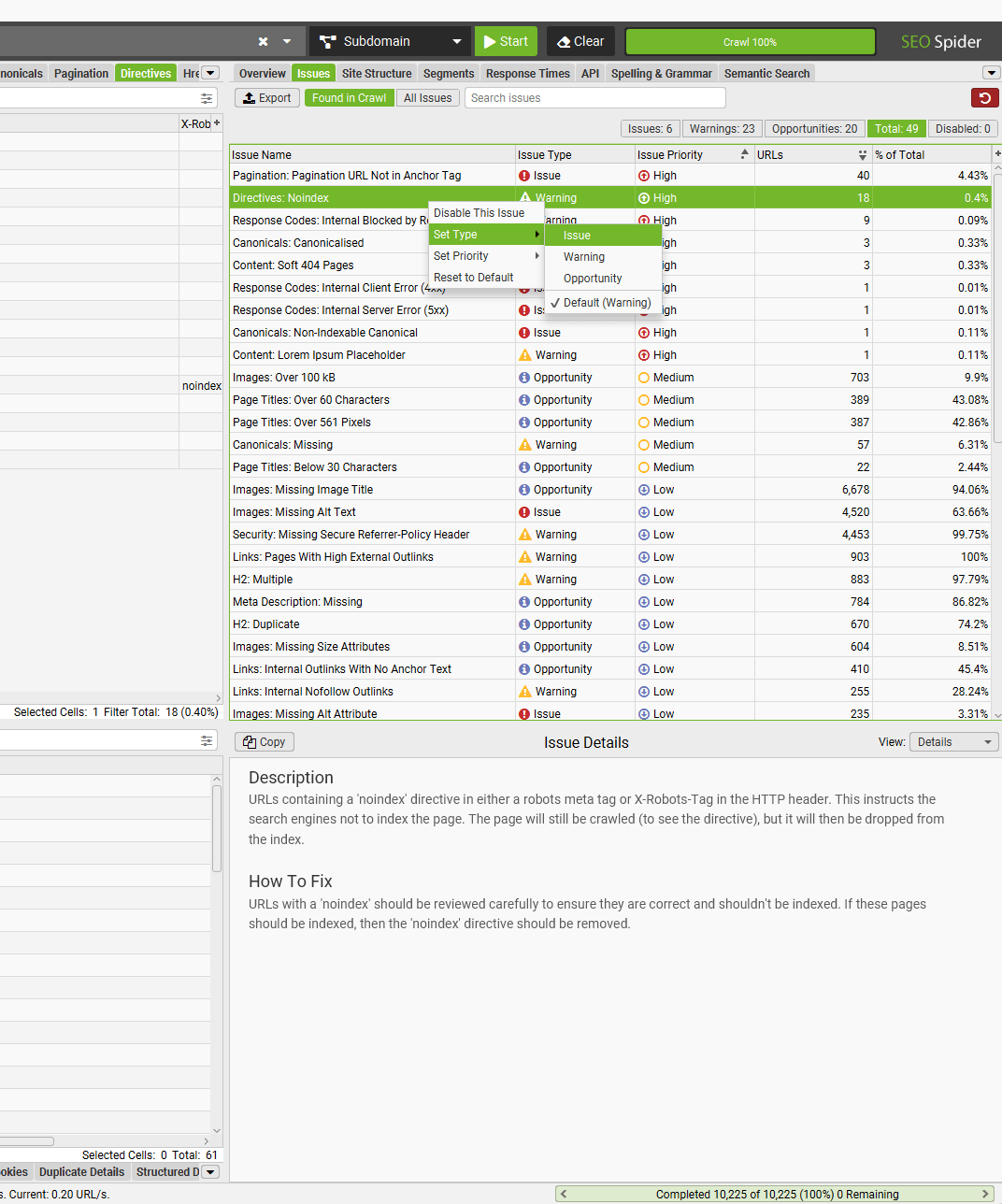
Just right-click, and make the adjustments required. Multiple issues can be highlighted together and adjusted.
You can switch between issues ‘Found in Crawl’ and ‘All Issues’ (including those not triggered in the crawl), those you’ve disabled, and search issues via the new search box.
5) Exclude Links Based Upon Link Path
You can already exclude crawling URLs based upon URL pattern, and now it’s possible to exclude crawling links based upon link path.
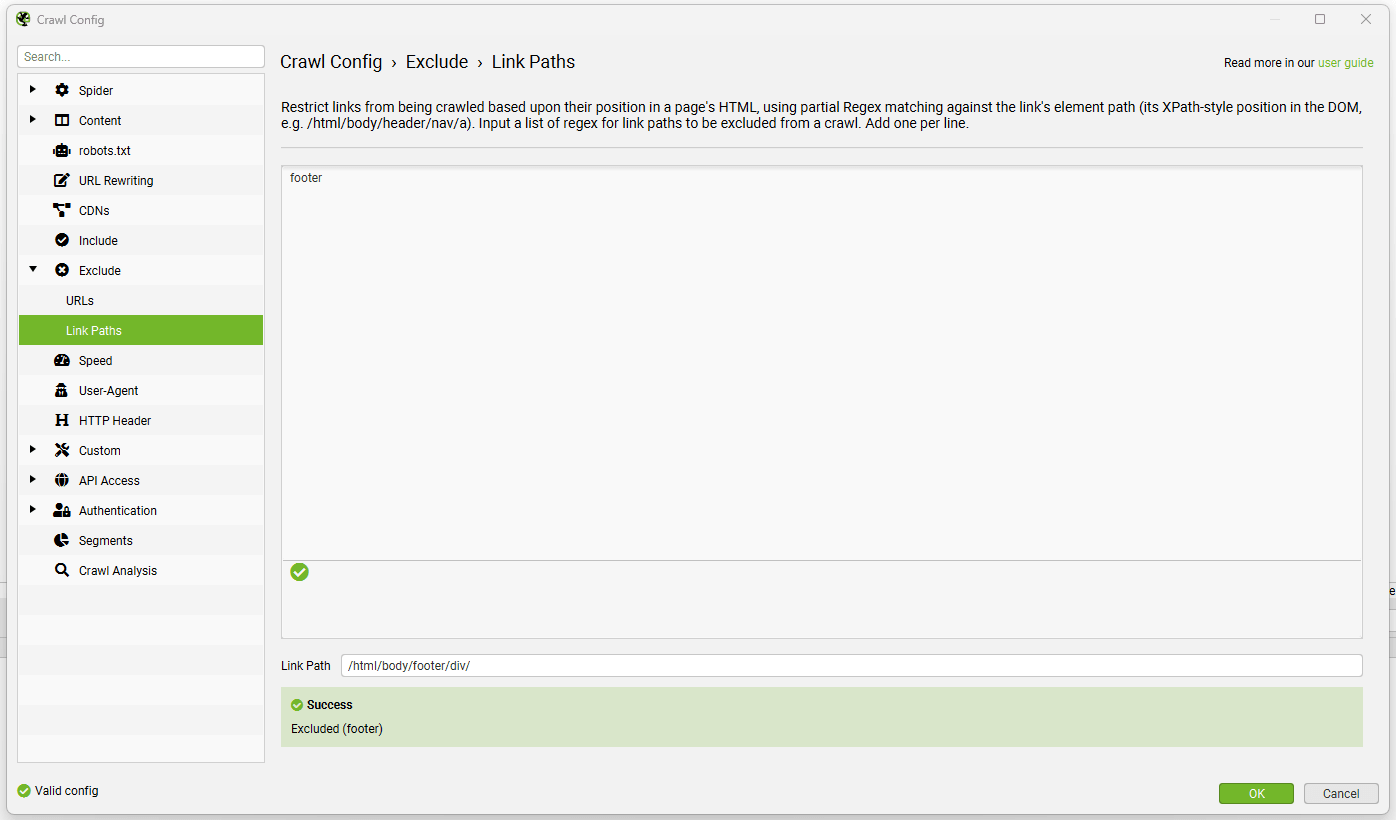
This provides added flexibility for those times where there isn’t a defined URL pattern, but the links are in a specific position or area you wish to exclude like a navigation, or filter.
6) Auto Throttle Crawl Rate
The new auto throttle setting automatically slows requests to a host pushing back with 429s, 503s or if they are dropping connections. Speed is gradually restored as the host recovers, and the crawl is paused completely if the host stops responding.
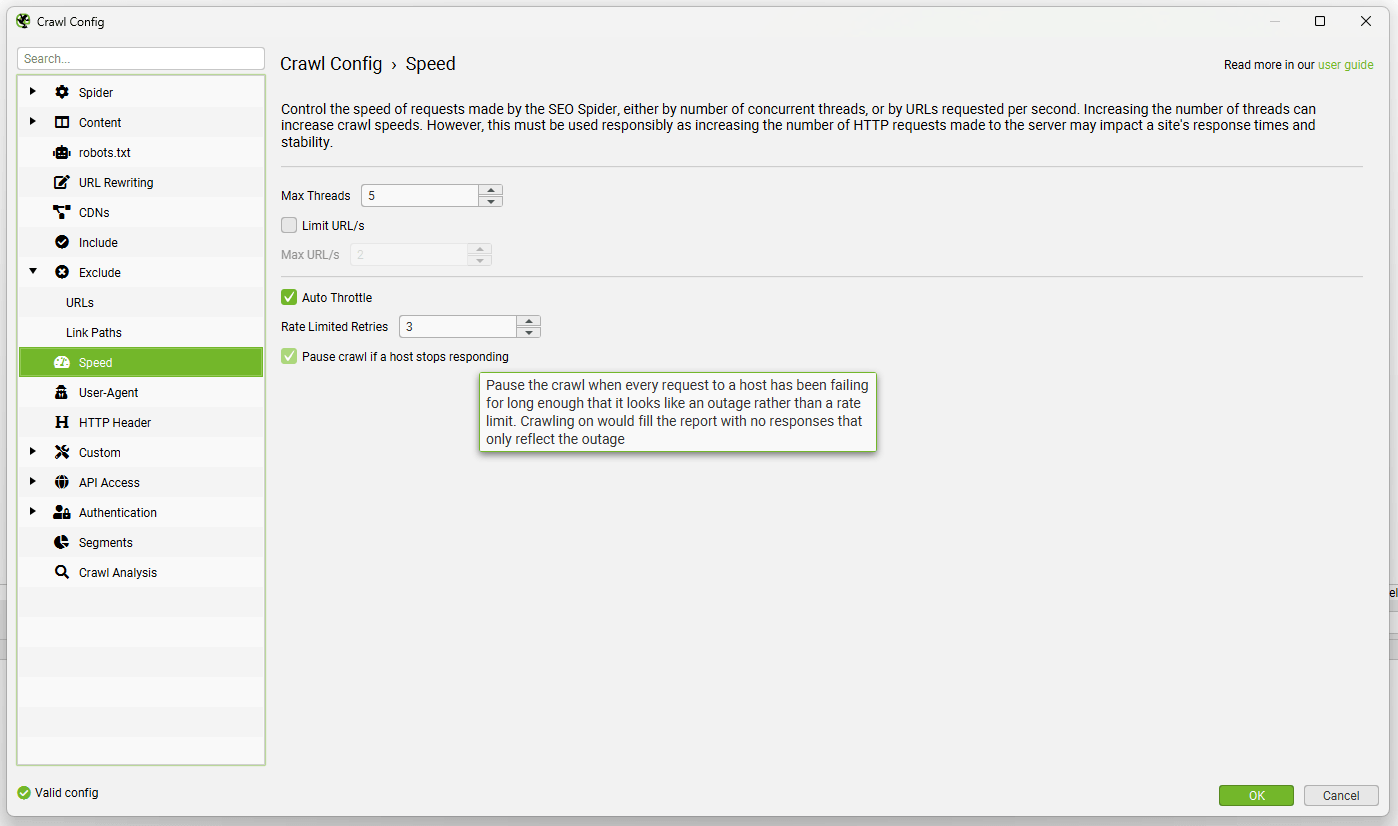
You’re able to adjust the number of rate limited retries, and alongside the existing ‘5XX Response Retries’ setting, there is a new ‘Connection Failure Retries’ configuration under ‘Config > Spider > Advanced’, which works alongside the ‘Pause crawl if a host stops responding’ option.
If a crawl is being throttled, it is communicated at the bottom of the UI next to the crawl speed.
7) Filename Patterns
No more re-naming exports by hand, you can now customise your export filenames to include various tokens, including date, date and time, domain, project and crawl name and report name.
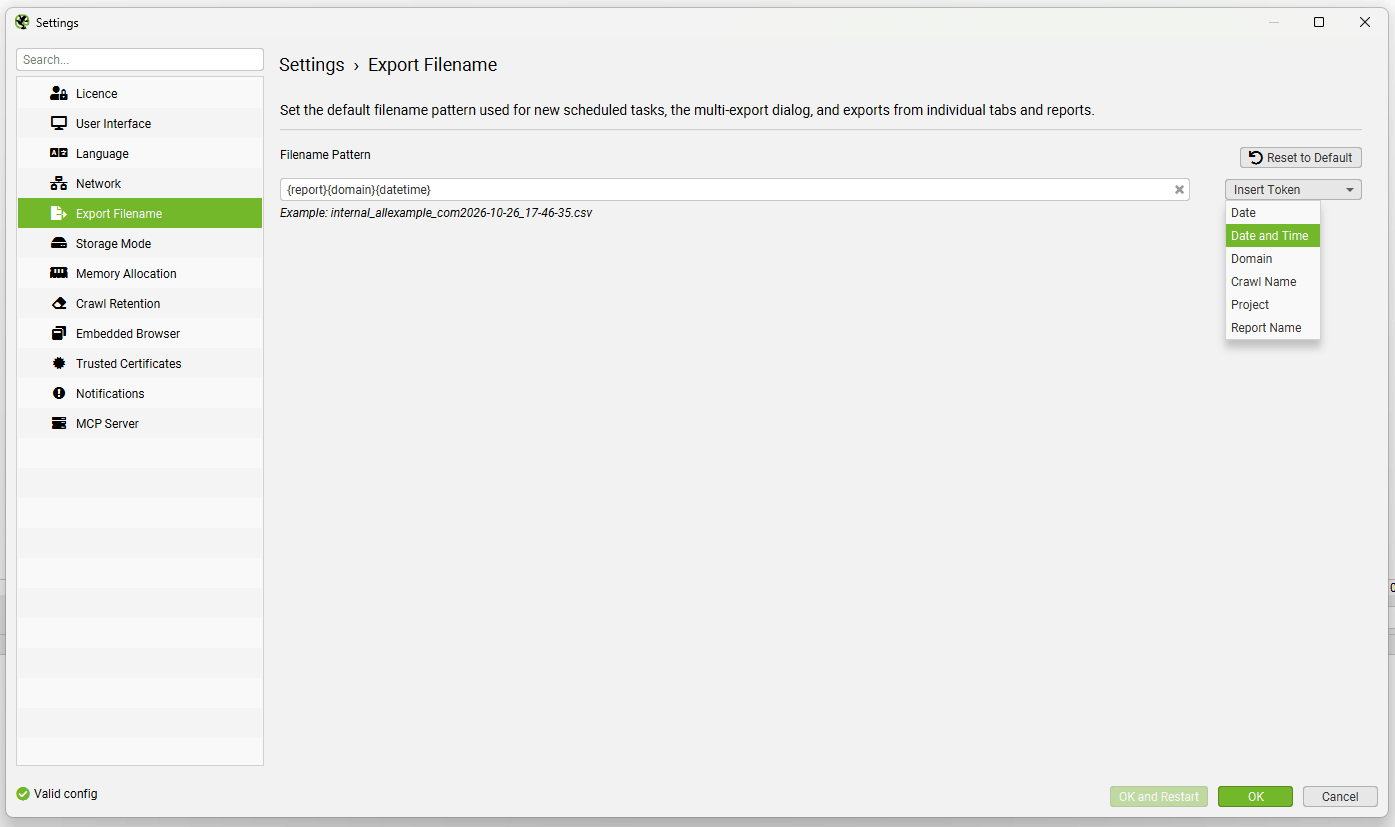
These options will be used as defaults for all crawls, but can be additionally configured in ‘Bulk Export > Multi Export’ for a specific set of exports.
8) Social Meta Tags
There’s a new Social tab, which shows details of Open Graph (OG) and X Card tags as well as a comprehensive list of common issues with their setup.
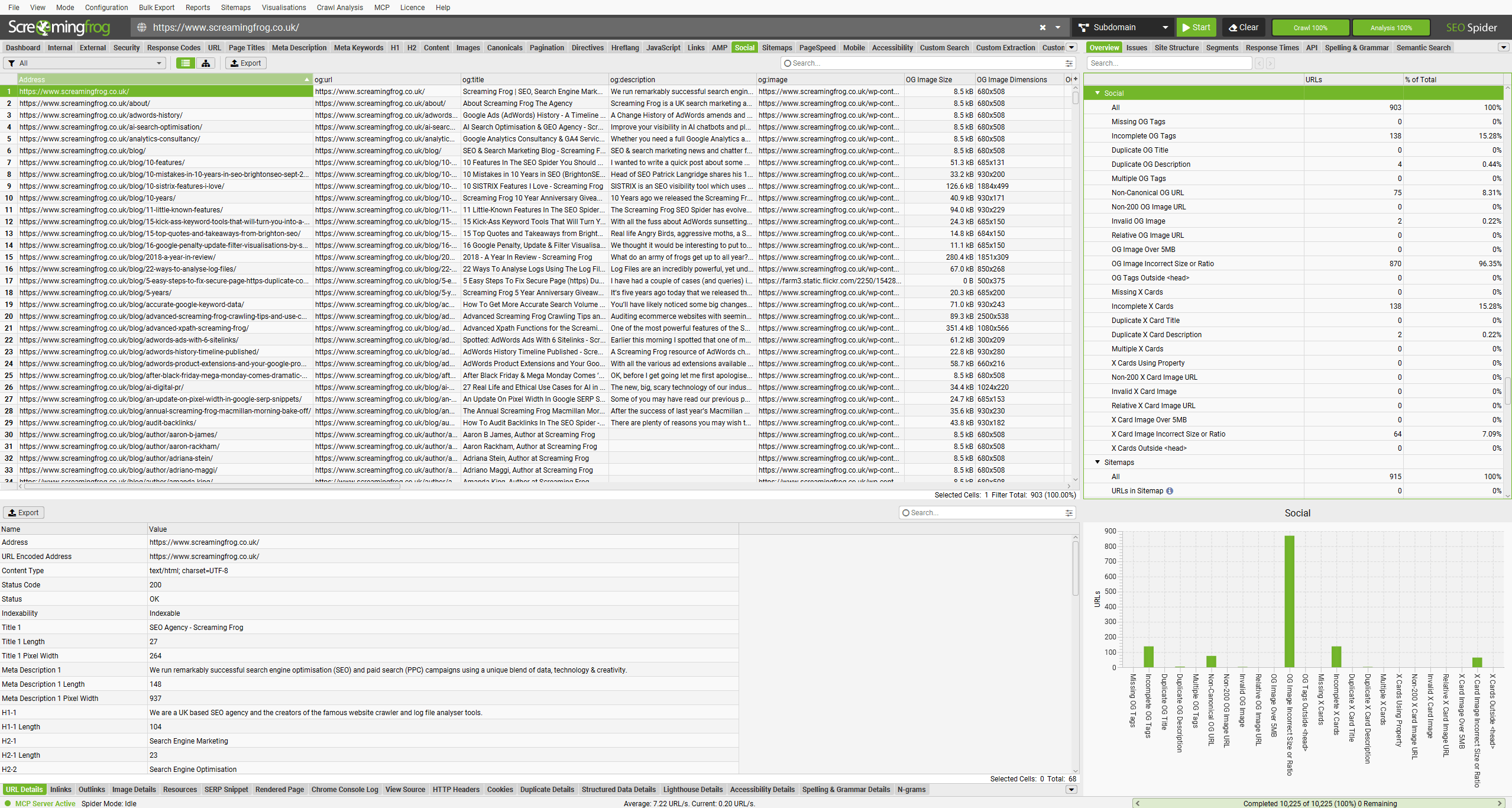
Find missing or incomplete tags, as well as non-200 image URLs, incorrectly sized images and much more. Check out our full list of social meta tag issues.
Other Updates
Version 25.0 also includes a number of smaller updates and bug fixes.
- New Issues – Aside from the new social meta tags checks, there are new issues for Images: Missing Image Title, Hreflang: Self Reference Only, Hreflang: Mismatch with HTML Lang Attribute and Links: Pages With Empty Anchor Tags.
- New Scheduling Options – Scheduled crawl tasks can be enabled or disabled, there’s a new ‘Run Now’ button to kick start a scheduled crawl, and within ‘File > Crawls’ you can right click and ‘Pause’ any scheduled or CLI crawls.
- List Mode MCP Support – List mode is now fully supported in the MCP integration.
- Pause, Resume & Delete for CLI – The CLI has new arguments for pausing and resuming a crawl – as well as delete.
- Crawl Management Options for CLI – The CLI has new arguments for renaming and moving crawls, and creating, renaming and deleting projects.
- Relative XML Sitemap Support – In the ‘Crawl Linked XML Sitemaps‘ config a relative XML Sitemap URL can now be provided (/sitemap.xml).
- Extract & Export Markdown – With ‘Store HTML’ or ‘Store Rendered HTML’ enabled, there is a new ‘Markdown’ filter under the ‘View Source’ tab, and bulk export via ‘Bulk Export > Web > All Page Markdown’.
- Fixed Table Row Numbers – Row numbers now stay fixed when you scroll horizontally across columns.
- New Search Boxes – With so many issues, there are search boxes in both the Overview and Issues tabs.
- Network Idle Rendering Wait Time – The new default option for JavaScript rendering is Network Idle, which is closer to how Google decides when a page has finished rendering by waiting until network activity and the event loop go idle.
- Allow Missing Prompt Target Content – Under the advanced config for each AI provider, you’re now able to allow prompts to run despite a blank target. This can be useful when there are multiple prompt targets and one of them is missing.
- Rich Result Feature Validation Updates – Lots of updates to Google’s rich result feature validation, too boring to include here.
- New Languages – Both Turkish and Dutch are now supported.
That’s everything for version 25.0.
Thanks to everyone for their continued support, feature requests and feedback. Please let us know if you experience any issues with this latest update via our support. Download version 25.0 now!



0 Comments