
SEO Spider
How To Audit Social Meta Tags
Introduction
Every time a page is shared on LinkedIn, Facebook, X, Slack, WhatsApp or iMessage, the platform builds a link preview from the page’s social meta tags. That preview is often the first impression someone has of your content, long before they visit the page itself.
Social meta tags, such as Open Graph and X Cards control how a page appears when it’s shared on social platforms.
When Open Graph tags or X Cards are missing, platforms fall back to other elements on the page, such as the page title, meta description and first suitable image. The results are less predictable, and might mean a different title, a truncated description, or an unexpected image.
When tags are present but set up incorrectly, such as a site-wide default image or a broken image URL, the same preview problems can appear on every page.
What Social Meta Tags Are Required?
OG tags are structured markup in the HTML about the content of the page that allow control of snippets used by social media platforms such as Facebook, LinkedIn, Slack and more.
The following OG tags are recommended as a minimum.
<meta property="og:title" content="Your headline">

<meta property="og:description" content="Your exciting description.">

<meta property="og:url" content="https://example.com">

<meta property="og:image" content="https://example.com/image.jpg">
X Cards are similar, but specifically allow control of snippets used on X and displayed to users when content is shared on the platform. While the official Card Validator was deprecated in 2022 and there is no longer an official specification for X Cards, they can still be used by X.
<meta name="twitter:card" content="summary_large_image">

  <meta name="twitter:site" content="@yoursite">

  <meta name="twitter:creator" content="@author">

  <meta name="twitter:title" content="Your headline">

  <meta name="twitter:description" content="Your exciting description." >

  <meta name="twitter:image" content="https://example.com/image.jpg">
If you already have X Cards in place, then it might make sense to keep them. However, if you’re setting up as fresh, then an alternative approach should be considered.
Due to diminished official support, current thinking is often to only include the twitter:card tag to specify the card type as ‘summary_large_image‘, and use OG tags as fallback.
This tutorial shows how to use the Screaming Frog SEO Spider to audit Open Graph tags and X Cards at scale, and find the issues that stop your content looking its best when it’s shared.
1) Crawl the Site
Input the website you want to audit into the URL bar at the top, and click ‘Start’.

The SEO Spider will then start crawling the website and extract Open Graph and X Card meta tags from every HTML page it finds.
If your social meta tags are added by JavaScript, for example by a tag manager or client-side framework, switch to JavaScript rendering via ‘Config > Spider > Rendering’ before crawling.
Bear in mind that most social platforms don’t execute JavaScript when building previews, so tags that only exist in the rendered HTML may not be seen by them at all.
2) View the Social Tab
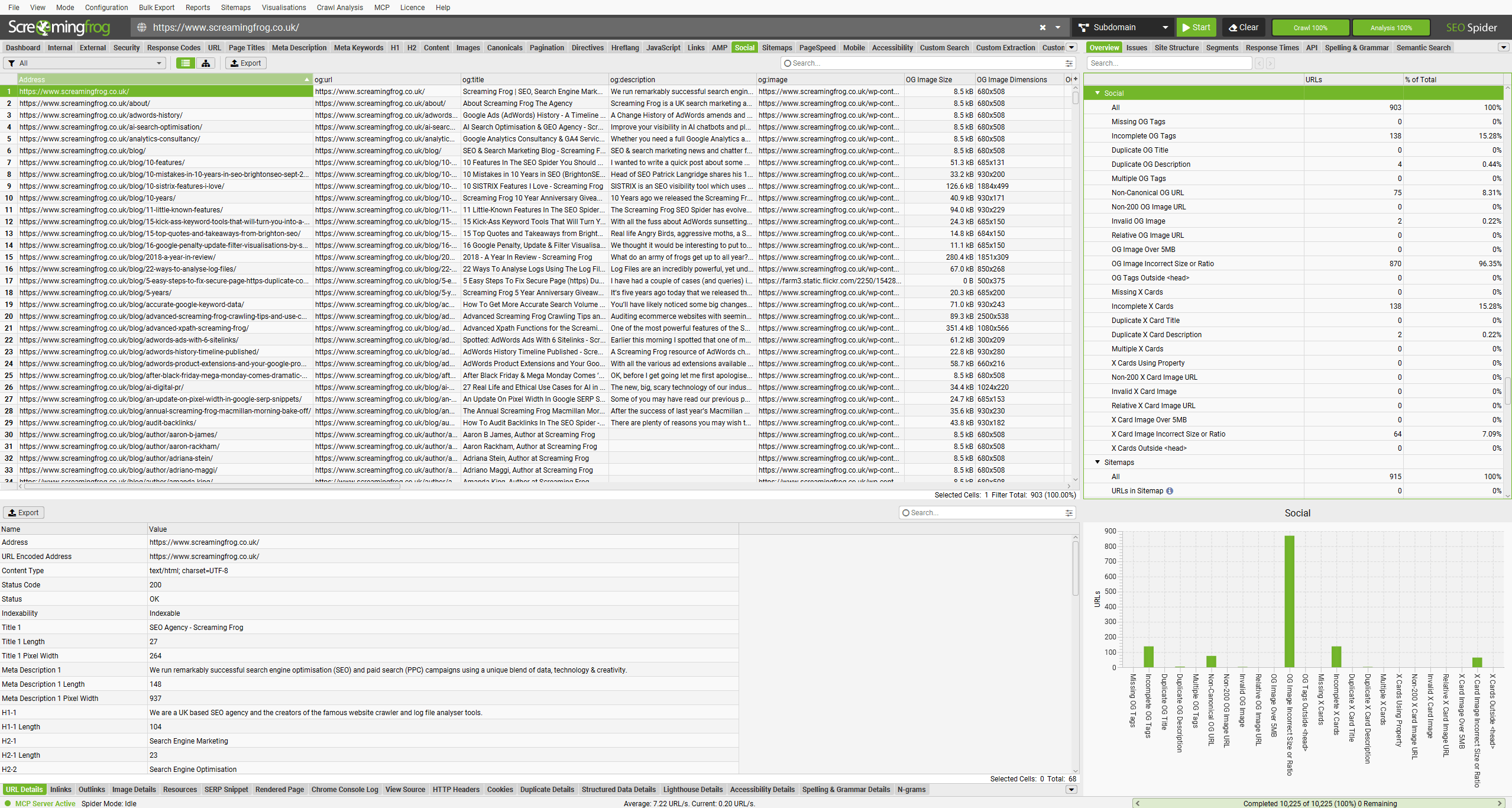
The Social tab contains every HTML page in the crawl, alongside the Open Graph and X Card tags discovered on each. The filters show pages with common social meta tag issues.
The right-hand Overview tab and Issues tab will both populate in real-time with any social meta tag issues discovered, along with their type and priority.
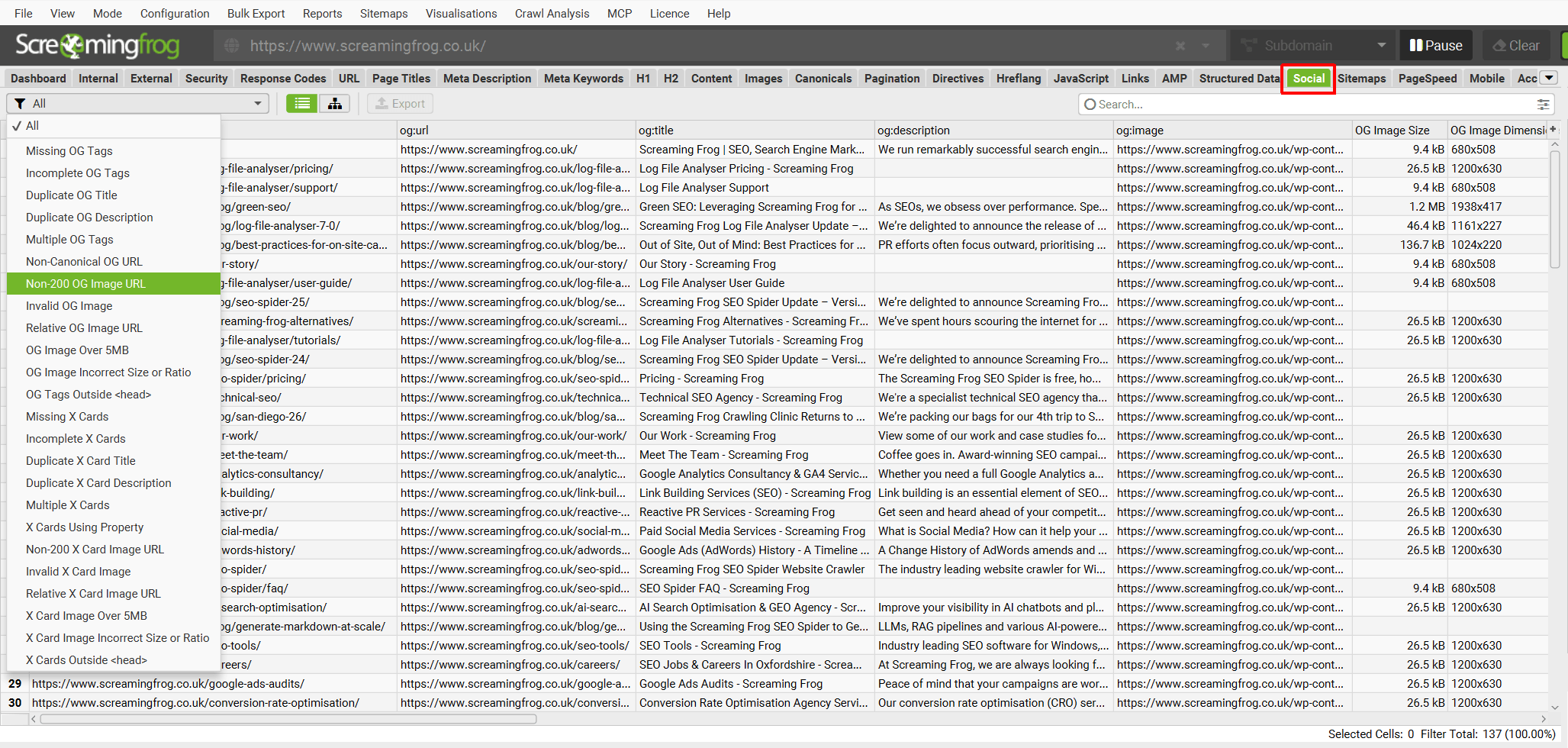
The Social tab has filters for common Open Graph issues, such as missing or incomplete tags, duplicates, non-canonical og:url values and problems with og:image files.
Open Graph issues include –
- Missing OG Tags – Pages that are missing OG tags. Open graph tags are structured markup in the HTML about the content of the page that allow control of snippets used by social media platforms such as Meta, LinkedIn, Twitter, Slack and more.
- Incomplete OG Tags – Pages that are missing one or more of the four basic OG tags that should be included on a page for complete open graph markup. These include og:url, og:title, og:description and og:image. If one of these tags is missing or lacks content, it will be considered incomplete.
- Duplicate OG Title – Pages that have duplicate OG title tags. It’s useful to have distinct and unique OG titles for every page relating to their content. If every page has the same page title, then it can make it more challenging for users to understand one page from another.
- Duplicate OG Description – Pages that have duplicate OG description tags. It’s useful to have distinct and unique OG descriptions for every page relating to their content. If every page has the same page description, then it can make it more challenging for users to understand one page from another.
- Multiple OG Tags – Pages that have multiple OG tag types from og:url, og:title, og:description and og:image. There should only be a single OG tag type for each page. Multiple OG tags could mean mix-ups are made with controlling how content is displayed in snippets by social media platforms. Multiple OG tags are often caused by multiple conflicting plugins or modules in CMS. While the OG spec allows multiple og:image tags, behaviour varies by platform on how they are used.
- Non-Canonical OG Tag URL – Pages with a URL specified in the og:url tag that does not match the canonical URL on the page. The canonical should be used to avoid sharing non-canonical versions of a page across social networks. Likes and shares for this URL will aggregate at this canonical URL.
- Non-200 OG Image URL – Pages that have an og:image specified that is a non-200 response. Images should be accessible and respond with a 200 response to be used in snippets of social media platforms.
- Invalid OG Image – Pages that have an og:image specified that is not an image or does not have the filetype JPG, PNG or WebP that can be used in snippets of social media platforms. While Facebook allows GIF, they are not animated and are displayed as static images.
- Relative OG Image URL – Pages that have an og:image specified that is a relative URL, rather than an absolute URL. Relative URLs can be ignored by social media platforms. The og:image URL must be an absolute URL. Relative URLs, protocol-relative URLs, and data URIs are often not supported.
- OG Image Over 5MB – Pages that have an og:image specified that is over 5MB in size. Some social media platforms have a size limit for images, which might mean they are not used in snippets. Images should be optimised and much smaller than the 5MB limit.
- OG Image Incorrect Size or Ratio – Pages that have an og:image specified that is below the recommended 1200 × 630 pixels size or does not have a 1.91:1 aspect ratio. While different social media platforms have different minimum sizes, the consensus is that this is typically the one size that works across a variety of social media platforms.
- OG Tags Outside <head> – Pages with OG tags that are outside the <head> element. This means they can be ignored by social platforms and not used for social snippets.
The Social tab also has filters for X Cards, covering the same areas plus a few X-specific mistakes, such as cards using the wrong attribute.
X Card issues include –
- Missing X Cards – Pages that are missing X Cards meta tags. X Cards are structured markup in the HTML about the content of the page that allow control of snippets used on X and displayed to users when content is shared on the platform. While the official Card Validator was deprecated in 2022 and there is no longer an official specification for X Cards, they can still be used by X. OG Tag equivalents are used as a fallback, but the twitter:card tag is still recommended for summary_large_image.
- Incomplete X Cards – Pages that are missing one or more of the six basic X Card meta tags that should be included on a page for complete markup. These include twitter:card, twitter:site, twitter:creator, twitter:title, twitter:description and twitter:image. If one of these tags is missing or lacks content, it will be considered incomplete. However, due to diminished official support, current thinking is often to only include the twitter:card tag to specify the card type (as summary_large_image), and use OG tags as fallback.
- Duplicate X Card Title – Pages that have duplicate X title meta tags. It’s useful to have distinct and unique X titles for every page relating to their content. If every page has the same page title, then it can make it more challenging for users to understand one page from another.
- Duplicate X Card Description – Pages that have duplicate X description meta tags. It’s useful to have distinct and unique X descriptions for every page relating to their content. If every page has the same page description, then it can make it more challenging for users to understand one page from another.
- Multiple X Cards – Pages that have multiple X meta tag types from twitter:card, twitter:site, twitter:creator, twitter:title, twitter:description and twitter:image. There should only be a single X meta tag type for each page. Multiple X meta tags could mean mix-ups are made with controlling how content is displayed. Multiple X tags are often caused by multiple conflicting plugins or modules in CMS.
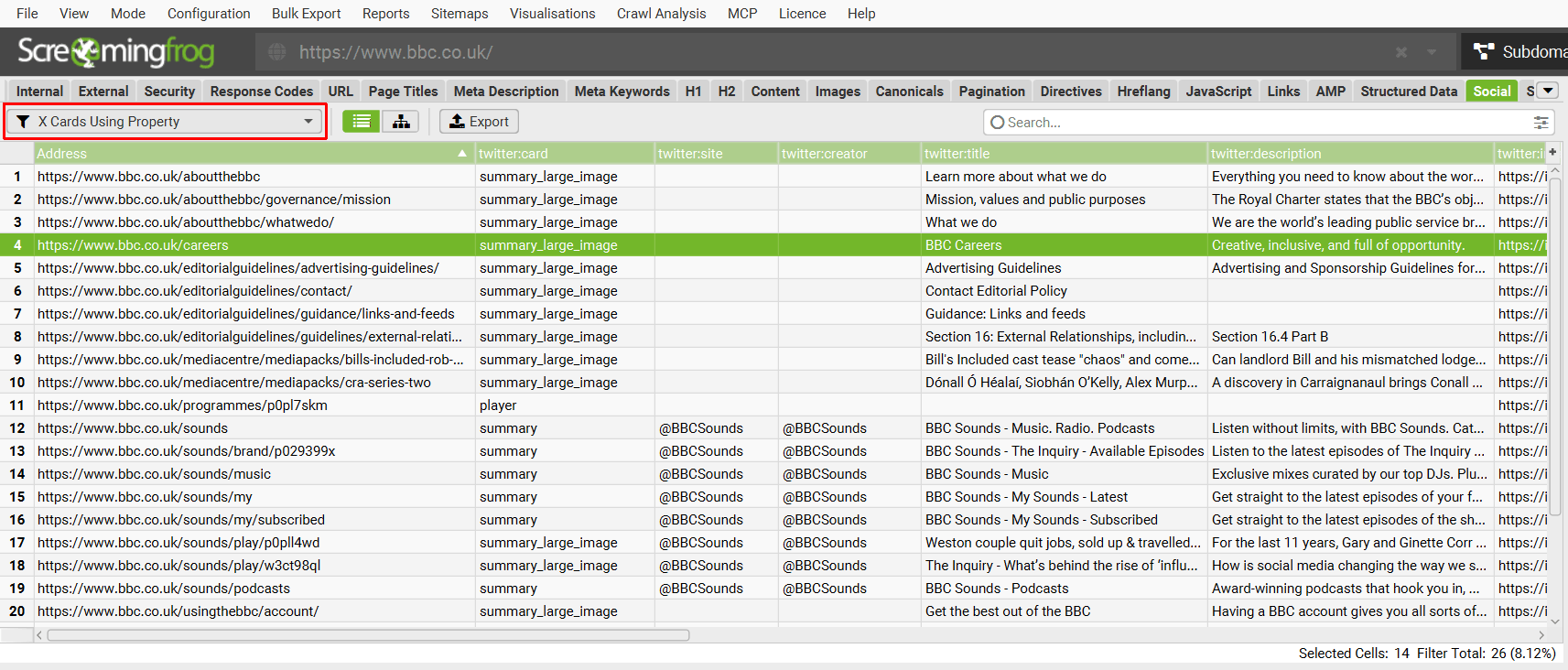
- X Cards Using Property – Pages that are mistakenly using meta property= for X Cards, which will be ignored. X Cards should use meta name=.
- Non-200 X Cards Image URL – Pages that have a twitter:image specified that is a non-200 response. Images should be accessible and respond with a 200 response to be used in snippets of social media platforms.
- Invalid X Cards Image – Pages that have a twitter:image specified that is not an image or does not have the filetype JPG, PNG or WebP that can be used in snippets of X.
- Relative X Cards Image URL – Pages that have a twitter:image specified that is a relative URL, rather than an absolute URL. Relative URLs can be ignored by social media platforms. The twitter:image URL must be an absolute URL. Relative URLs, protocol-relative URLs, and data URIs are often not supported.
- X Cards Image Over 5MB – Pages that have a twitter:image specified that is over 5MB in size. While documentation for X Cards has been deprecated, this was the previously outlined limit, which might mean they are not used in snippets. Images should be optimised and much smaller than the 5MB limit.
- X Cards Image Incorrect Size or Ratio – Pages that have a twitter:image specified that is below the recommended 1200 × 630 pixels size or does not have a 1.91:1 aspect ratio. While documentation for X Cards has been deprecated, this is the generally accepted consensus for social media tags.
- X Cards Outside <head> – Pages with X Cards that are outside the <head> element. This means they can be ignored by X and not used for social snippets.
Refer to our social issues library for more detail on each.
3) Run Crawl Analysis
Most social meta tag issues are checked in real-time and available to view immediately during, or at the end of a crawl.
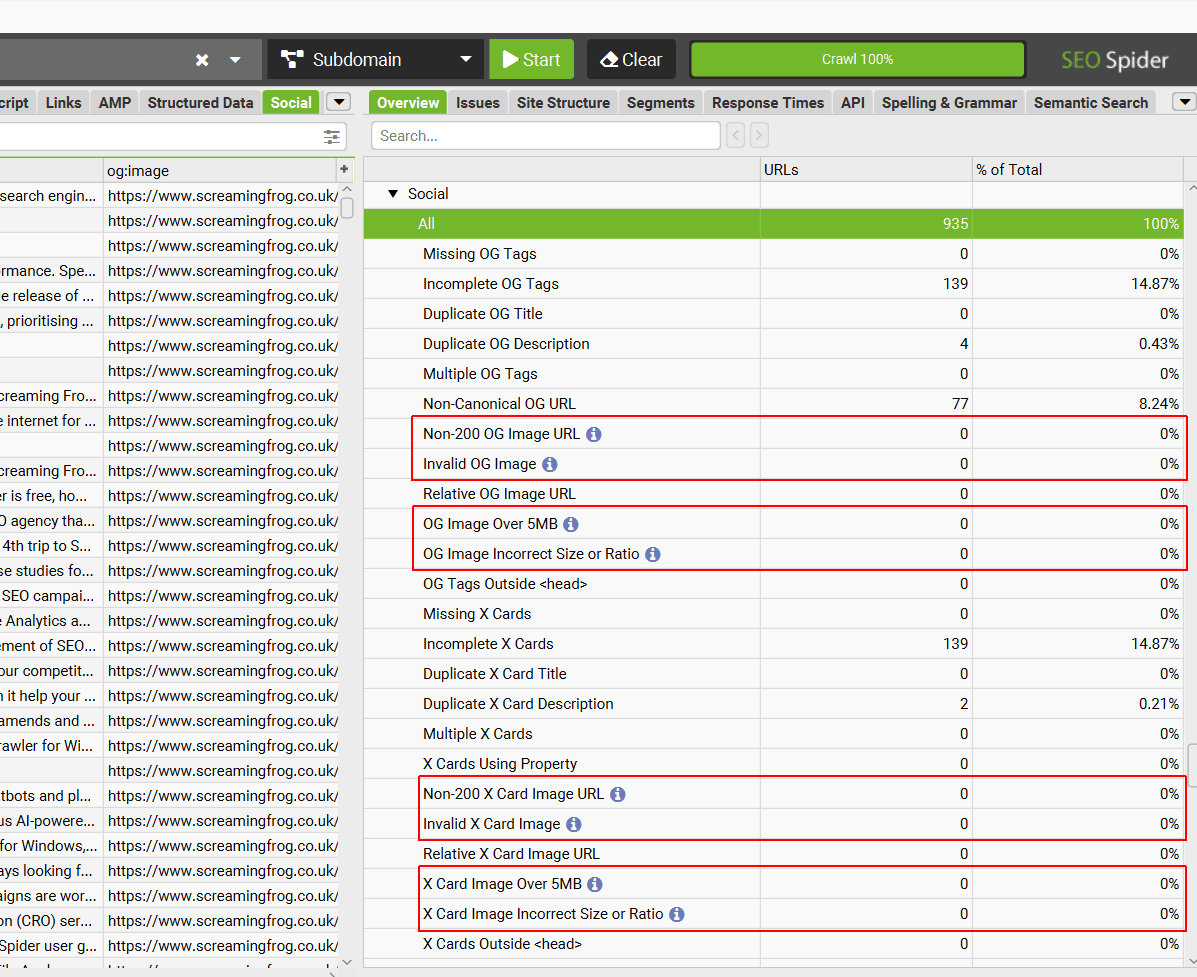
However, 8 of the issues require calculation at the end of the crawl via post ‘Crawl Analysis’.
The right hand ‘Overview’ tab, displays an ‘i’ symbol against filters that require post crawl analysis to be populated with data.
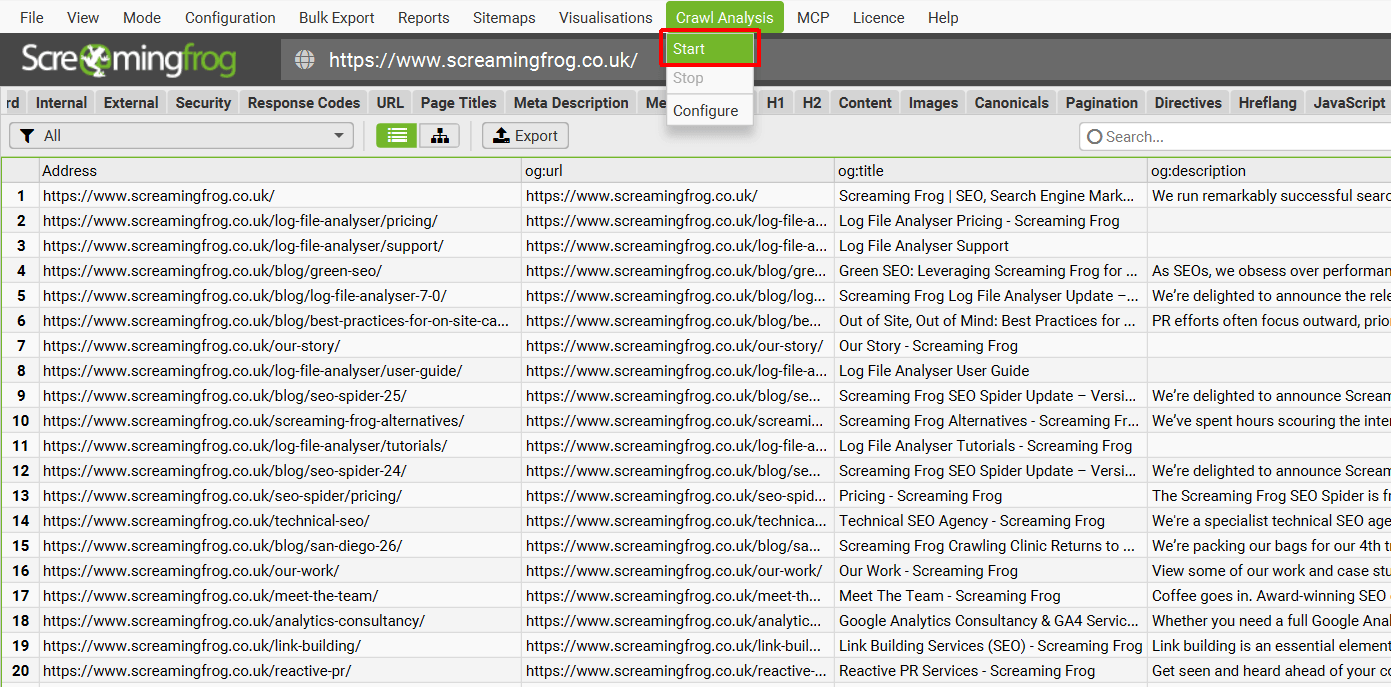
Click ‘Crawl Analysis’ in the top level menu and then ‘Start’.
When crawl analysis has completed the ‘analysis’ progress bar will be at 100% and the filters will no longer have the ‘i’ symbol will disppear.
4) Prioritise the Issues
Not every social meta tag issue carries the same weight, so it’s worth tackling them in a sensible order.
Start with anything that breaks the preview completely. Missing OG tags, non-200 and invalid images, tags outside the <head>, or X Cards using property can all mean a platform shows no image, the wrong image, or nothing useful at all.
Next, look at accuracy. Non-canonical og:url values can split shares and likes across duplicate URLs, while duplicate titles and descriptions often point to a template or plugin filling in the same site-wide defaults on every page.
Finally, tidy up the polish. Incomplete tags, image sizes and ratios, and multiple tags are rarely critical on their own, but fixing them makes previews more consistent across every platform.
For X Cards, remember that X falls back to Open Graph tags. If your OG tags are solid, a minimal X Card set-up with just twitter:card set to summary_large_image is often all you need.
5) Export the Data
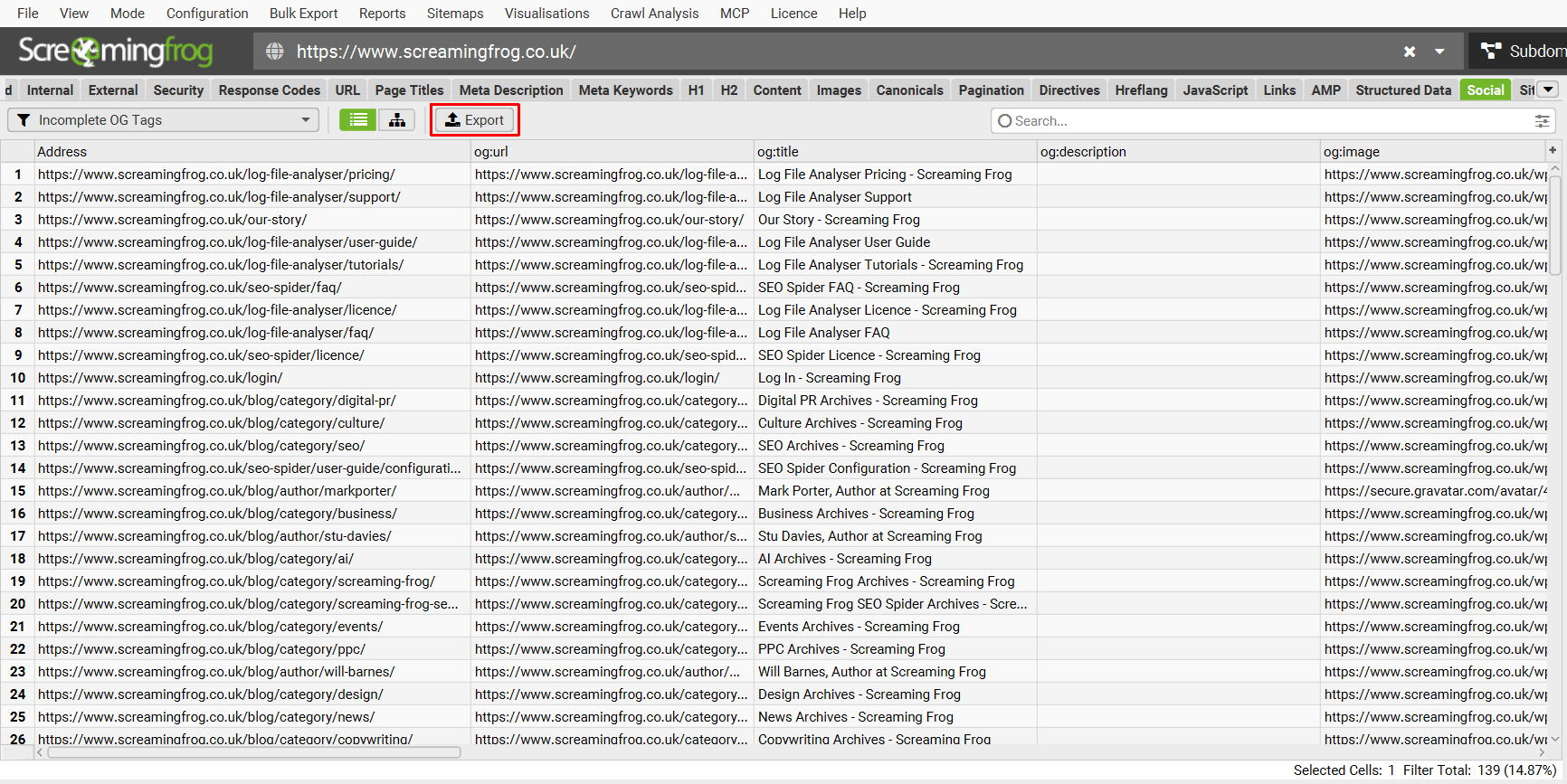
Click the ‘Export’ button in the Social tab to export all pages and their social meta tags, or select a filter first to export only the pages affected by a specific issue.
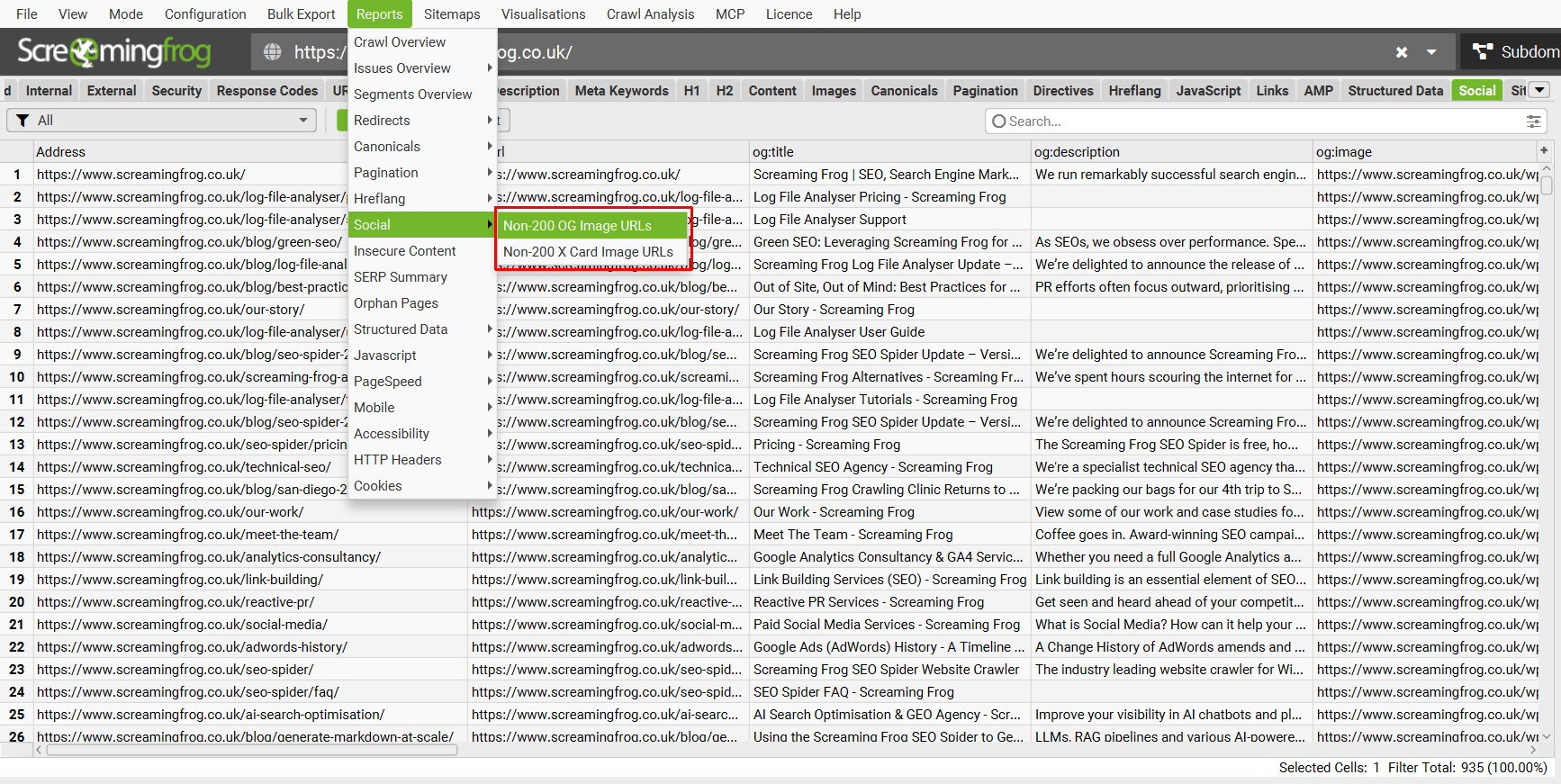
There are also bulk exports under ‘Reports > Social’ for ‘Non-200 OG Image URLs’ and ‘Non-200 X Image URLs’ which include the pages, images and response codes of images.
To export all social meta tag issues together without having to export individually, use ‘Bulk Export > Multi-Export > Spreadsheets’, select all ‘Social’ issues and ‘Export’.
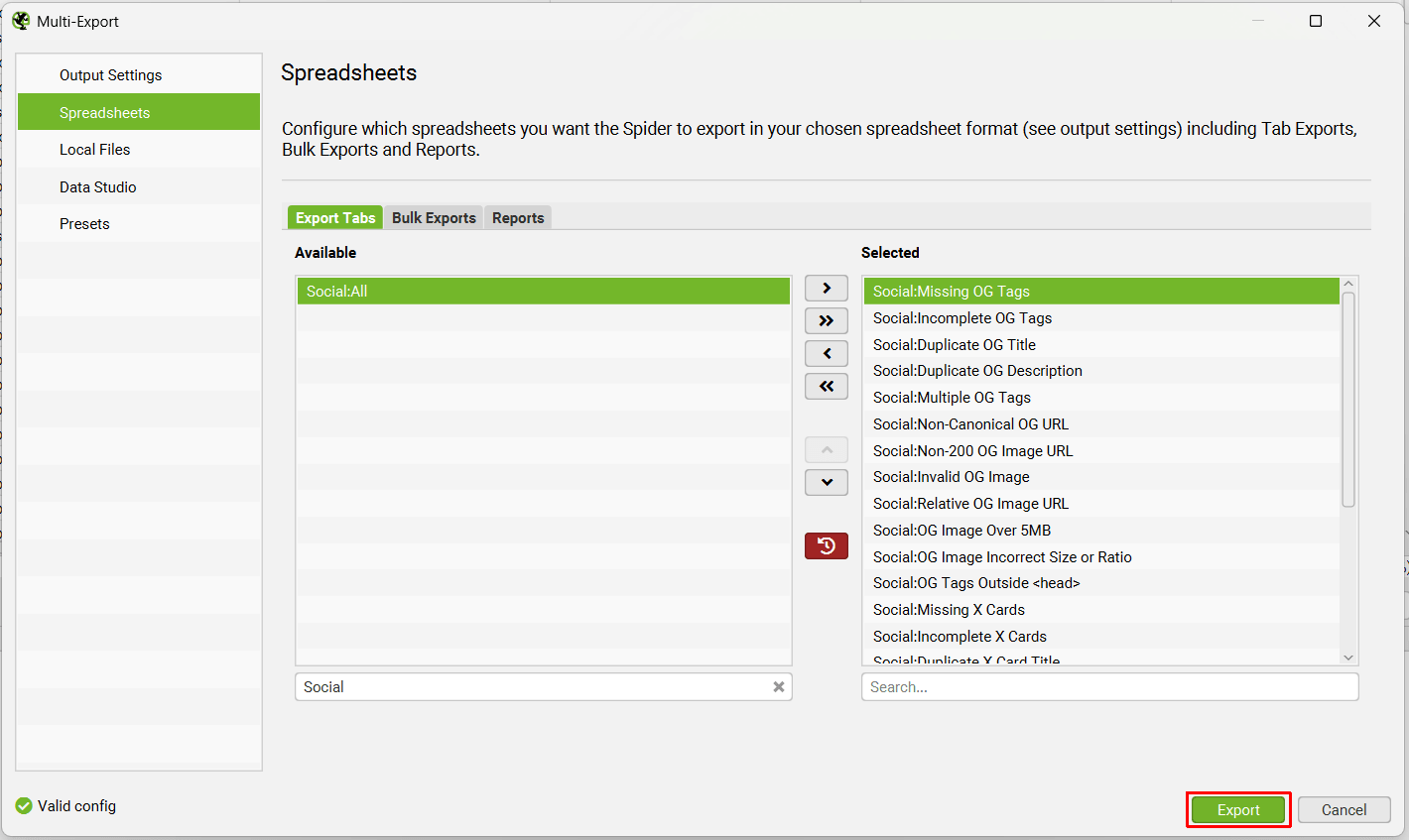
This makes it easy to share a list of affected URLs with developers or content teams, alongside the issue details from the issues library.
Support
This tutorial should help users audit Open Graph tags and X Cards at scale across any website using the SEO Spider. If you experience any issues, check out the following guides –
Alternatively please contact us via support and we can help.
This documentation is subject to our Terms of Use.


